
One module for the whole Zabbix frontend: permission-aware tag search in every filter, colour-coded tags, a Light / Dark / System theme switch, your own branding, syntax highlighting and more – all FREE, with centralized configuration.
Description
uxMAX collects the practical improvements Zabbix administrators keep wishing the frontend had, and puts them behind one configuration page. Everything is FREE, works on Zabbix 6.0 – 7.4 in one package, and is HA ready – install it on every frontend node and each node takes care of itself.
- Tag suggestions everywhere – every tag filter across the frontend (Problems, Latest data, hosts, dashboards, widget forms and popups) offers live tag name and value suggestions, drawn only from objects the signed-in user is allowed to see.
- Colour tags by rule – starts with / contains / ends with, with per-user overrides on top of the global rules and a live light/dark preview with contrast ratio right in the colour picker.
- Light / Dark / System theme switch in the sidebar – per user, and System follows the operating system preference live.
- Frontend rebranding – your logos on the login screen and in the sidebar, your footer, and your own documentation link behind the frontend’s help icon.
- Syntax highlighting for JavaScript and Zabbix expressions, with a live playground in both themes and a configurable editor font.
- Dashboard and UI touches – compact dashboards, hidden widget headers, draggable modal dialogs, a minimum modal width, pagination and mass actions mirrored above long lists, and greyed-out disabled items in Latest data.
Usage examples
Example 1 – Tag suggestions in every filter (FREE)
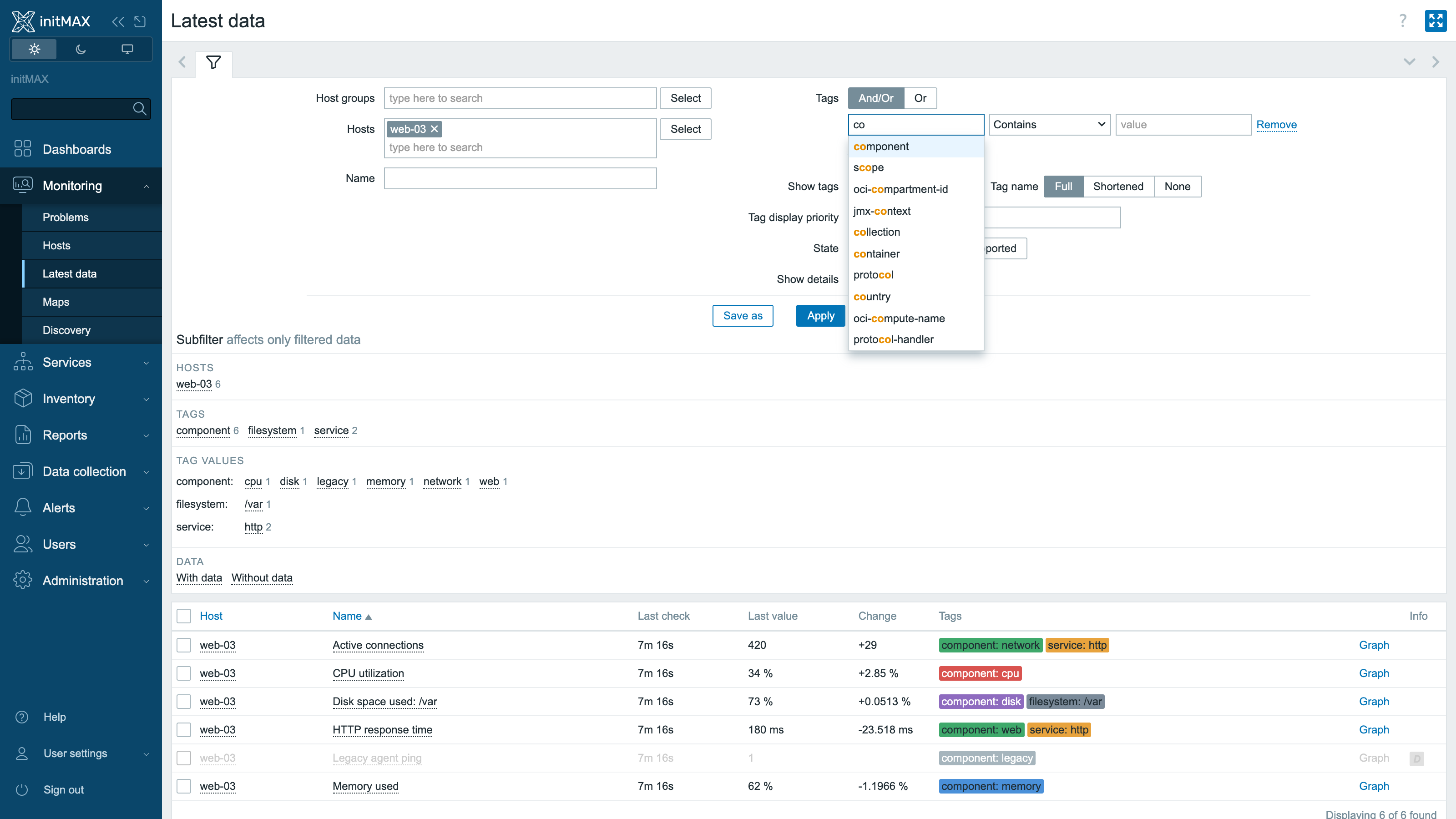
Start typing into any tag field and uxMAX suggests matching tag names – and, once a name is picked, matching values. The suggestions are permission-aware: they only ever contain tags from hosts, problems and items the signed-in user can see, so the filter never leaks names from other teams’ infrastructure. It works in the Problems and Latest data filters, host and item lists, widget configuration forms and popups alike.
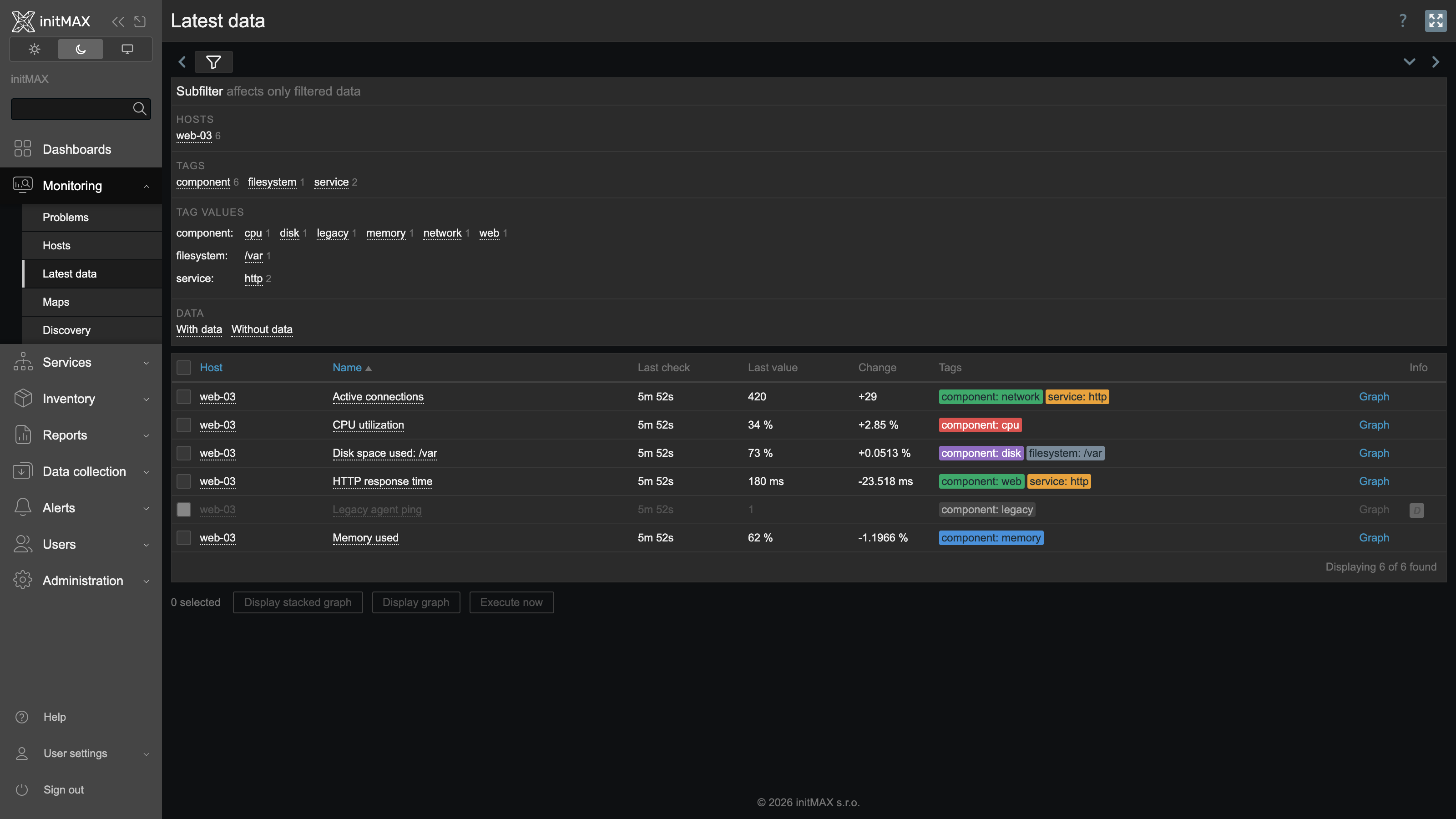
Example 2 – Colour tags by rule (FREE)
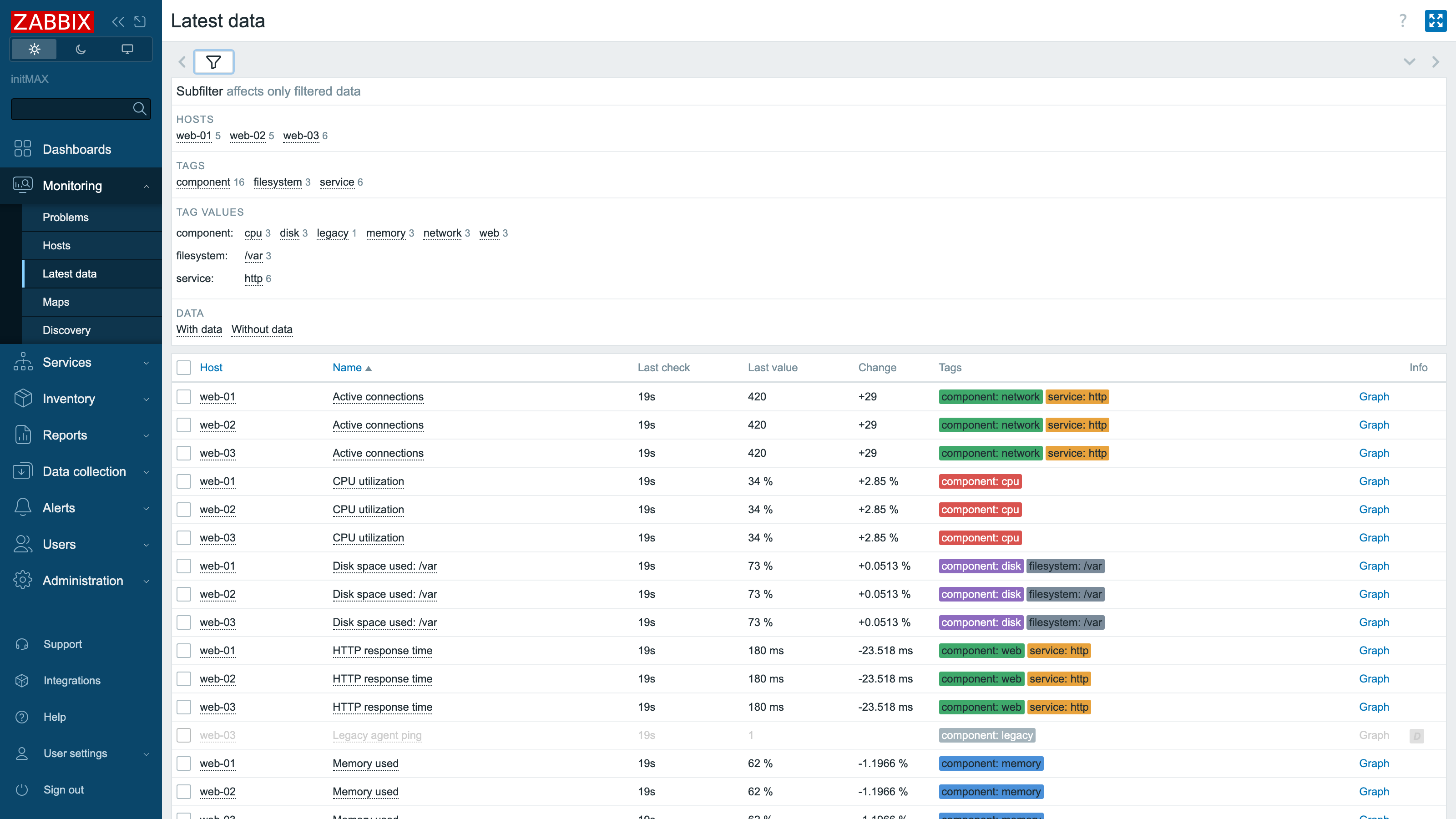
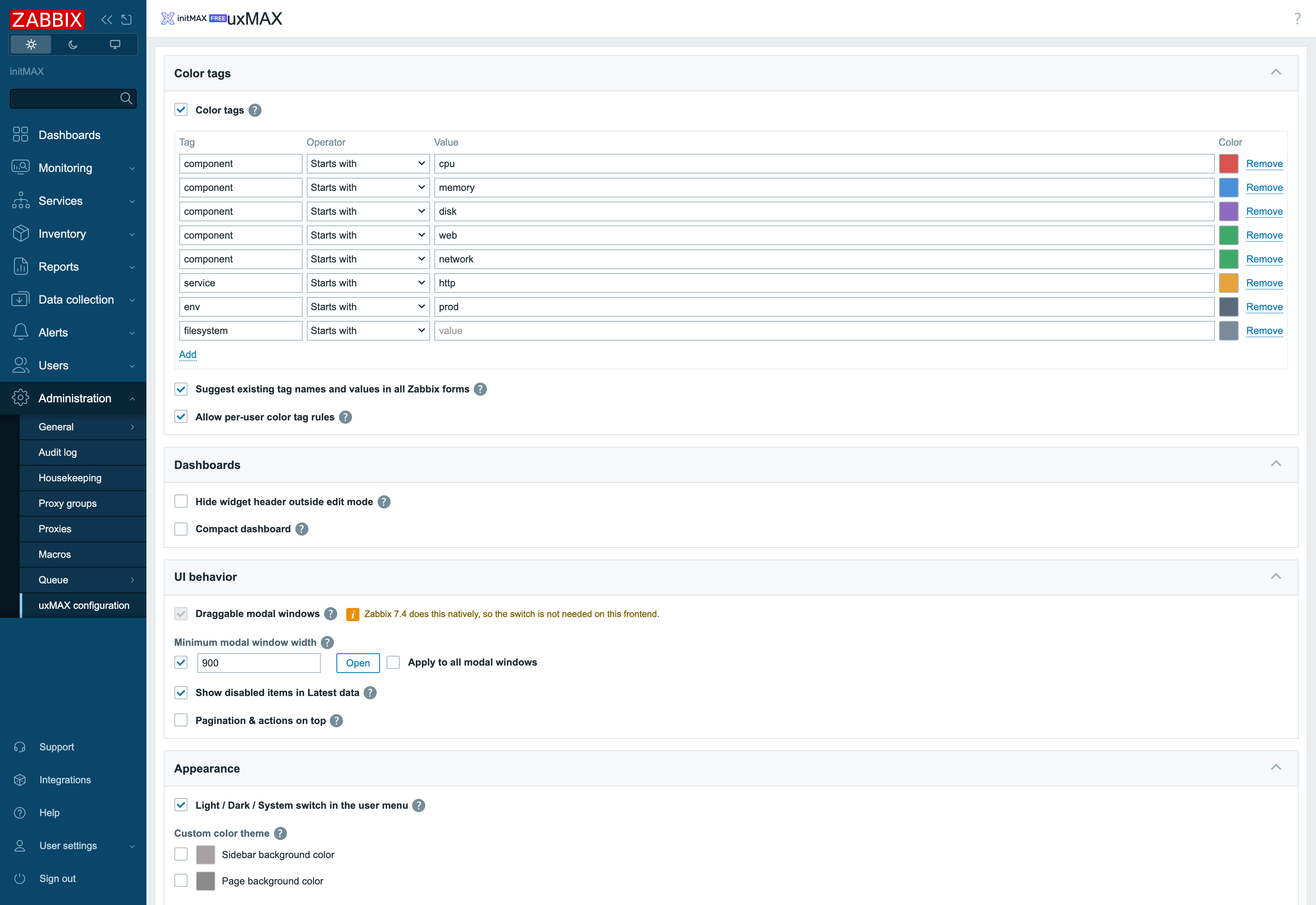
Colour tags by rule – CPU red, memory blue, disk purple, the HTTP service orange – and Latest data becomes scannable instead of readable. Rules match on starts with, contains or ends with, and bright colours automatically get dark, readable text in the dark theme.
Example 3 – Light / Dark / System theme switch (FREE)
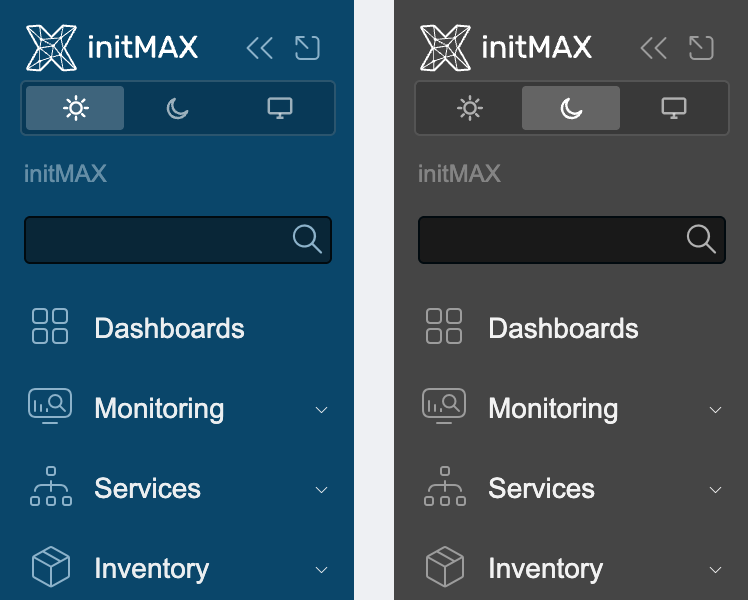
A three-state switch right under the logo in the sidebar. Light and Dark do what they say; System follows the operating system preference live, so the frontend flips together with your desktop. The choice is per user and works with any Zabbix theme the administrator allows.
Example 4 – Your own frontend branding (FREE)
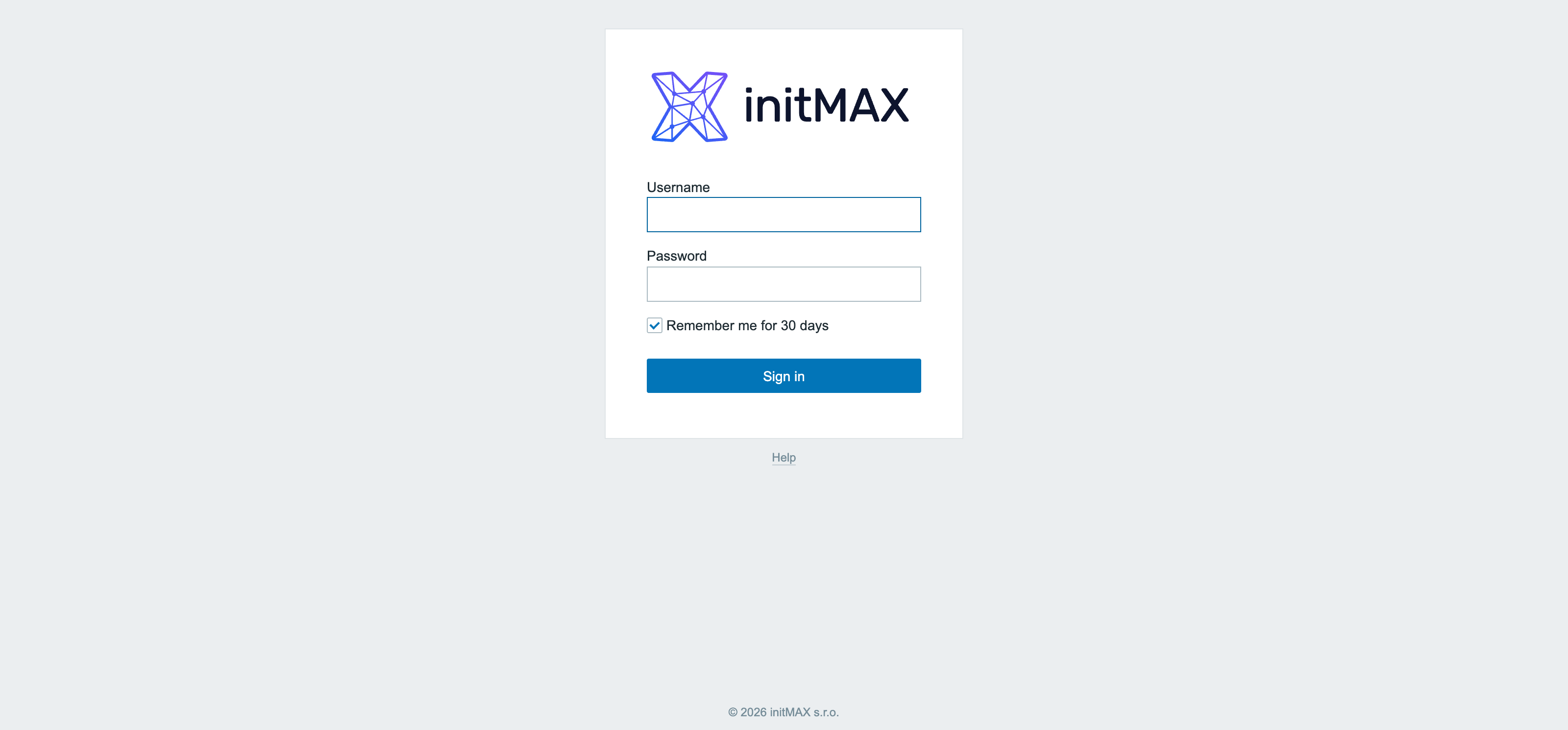
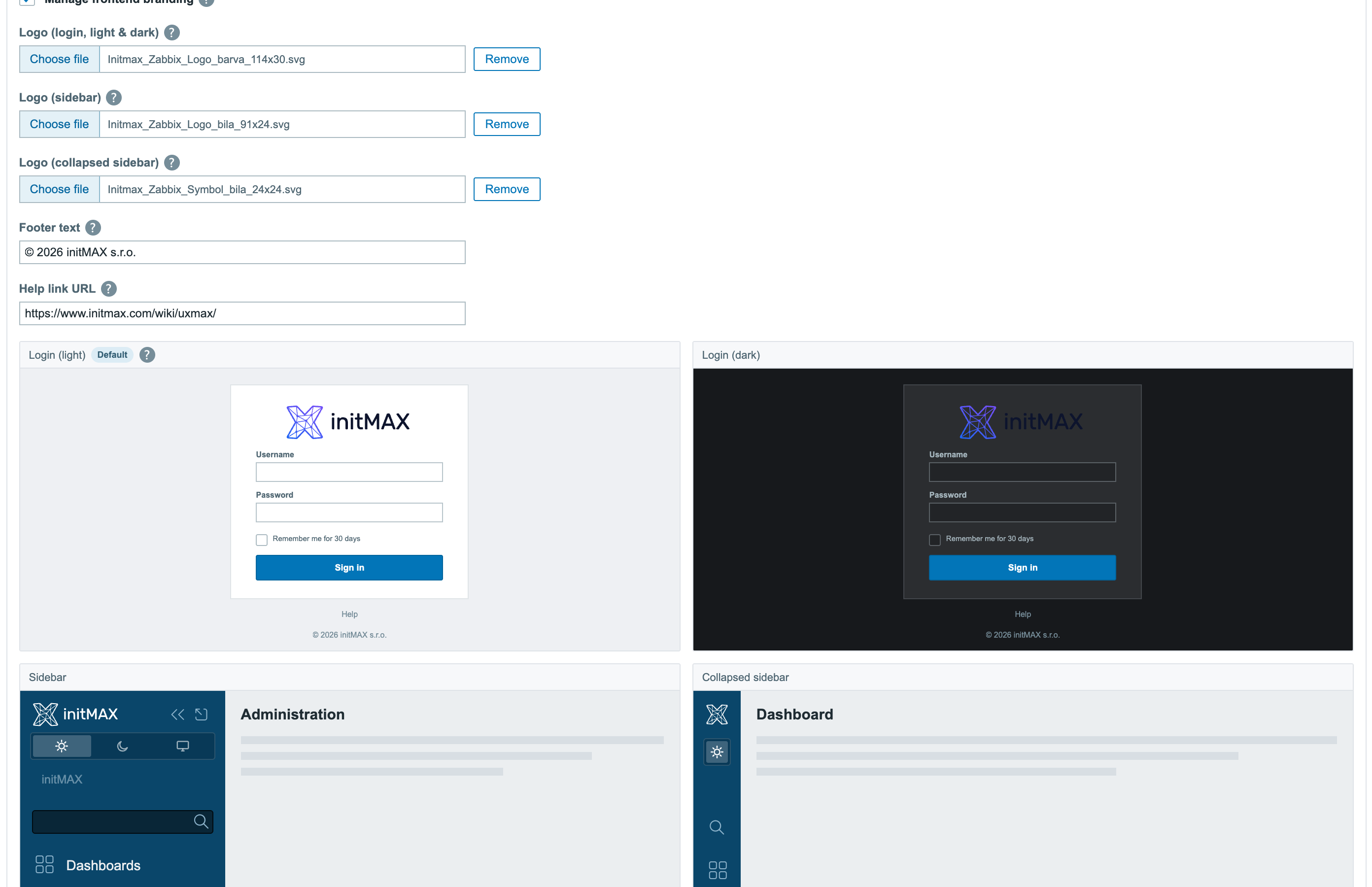
Upload your logos (SVG, PNG, JPG or GIF) for the login screen, the sidebar and its collapsed form, set your own footer text and point the frontend’s help icon to your documentation. The configuration page shows live previews of the light and dark login screen and both sidebar forms before you save. High availability is handled: every frontend node checks the branding on its own and applies it locally, so an HA cluster stays consistent without any manual copying.
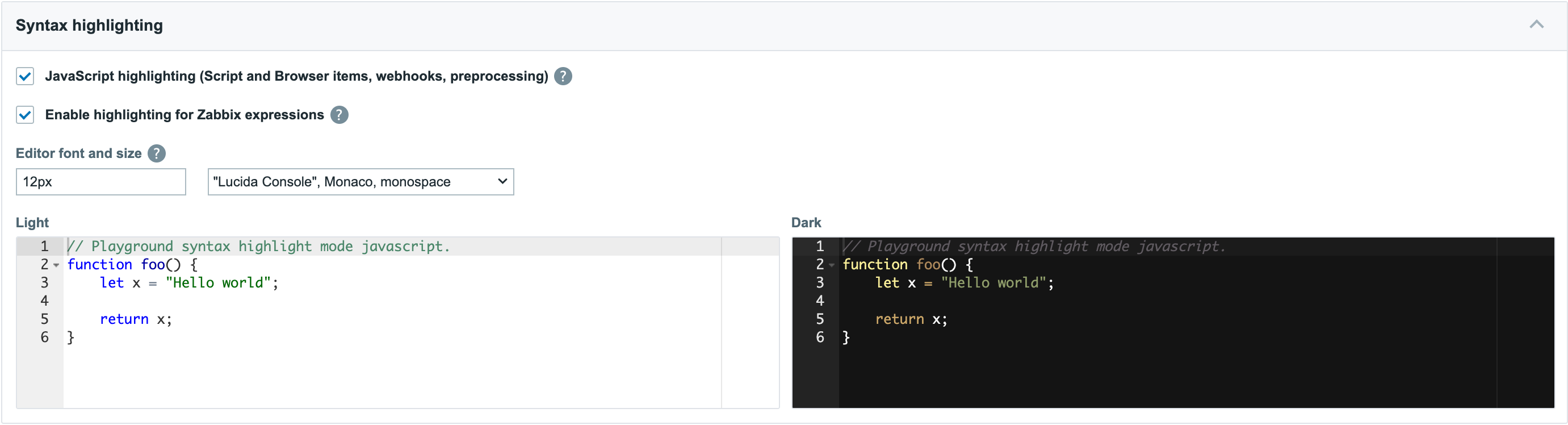
Example 5 – Syntax highlighting with a live playground (FREE)
JavaScript in Script items, webhooks and preprocessing steps – and optionally Zabbix trigger expressions – get real syntax highlighting. The settings page shows a live playground rendered in both the light and the dark theme, and the editor font is configurable.
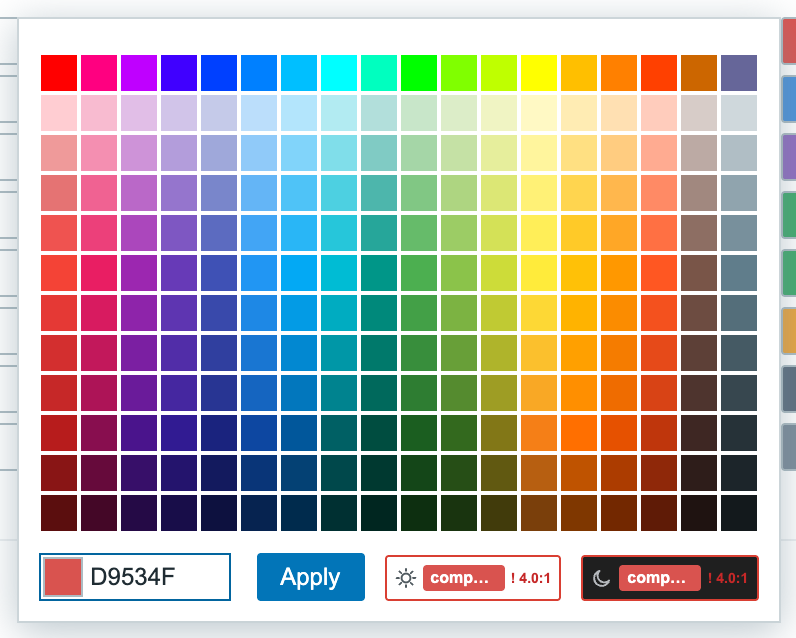
Example 6 – Colour picker with a live preview (FREE)
When you pick a colour for a tag rule, the native Zabbix palette gains a live preview of the finished tag against both frontend themes, including the contrast ratio – a low-contrast combination is flagged before you apply it.
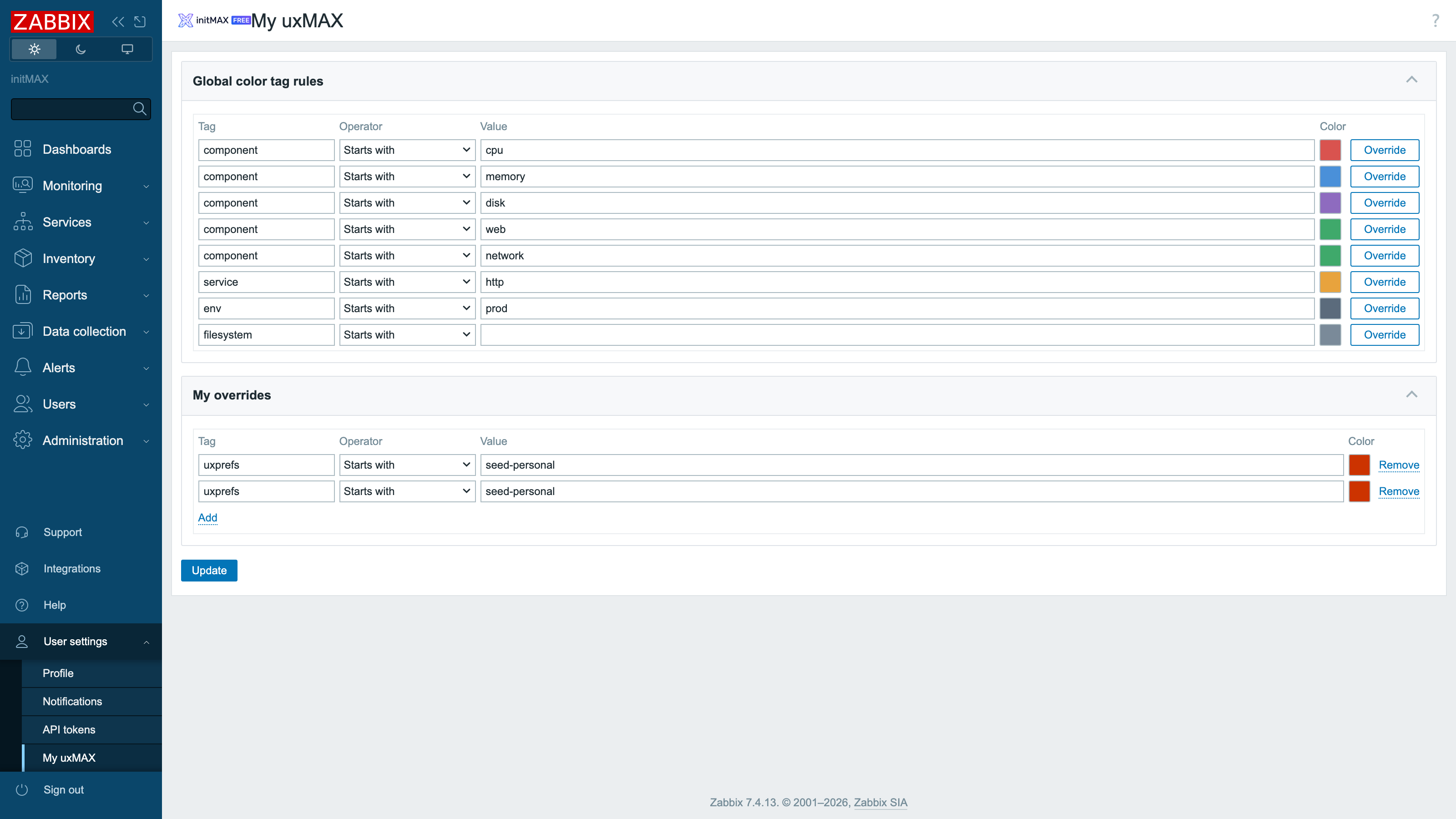
Example 7 – My uxMAX: personal colour rules (FREE)
When the administrator allows it, every user gets a My uxMAX page under User settings: the global colour rules are shown read-only, and one click on Override copies any of them into the user’s own always-active personal set.
Installation
uxMAX is distributed as a standard deb/rpm package from our repository repo.initmax.com. The package detects your frontend version and deploys the matching module tree into it. It supports Zabbix 6.0 – 7.4 and is HA ready – multi-frontend / HA setups work out of the box, just install the package on every frontend node.
Connect to the server running the Zabbix frontend over SSH (do this on every frontend node) and pick your distribution. Would you rather have a plain archive? Every release also ships as a ZIP – FREE straight from the repository – handy for offline or manual installs.
RHEL / Rocky / Alma
# RHEL / Rocky / Alma
rpm -Uvh https://repo.initmax.com/zabbix/release/initmax-release-latest.noarch.rpm
dnf clean all && dnf install -y zabbix-module-uxmax
SUSE
# SUSE
rpm -Uvh https://repo.initmax.com/zabbix/release/initmax-release-latest.noarch.rpm
zypper --gpg-auto-import-keys refresh && zypper install -y zabbix-module-uxmax
Debian / Ubuntu
# Debian / Ubuntu
wget https://repo.initmax.com/zabbix/release/initmax-release-latest_all.deb
dpkg -i initmax-release-latest_all.deb
apt update && apt install zabbix-module-uxmax
Verification
The module is enabled automatically during the package installation. You can verify it in the Zabbix frontend menu: Administration → General → Modules
If the module was already running on that frontend (from an earlier package or from a manual installation), the package keeps its state – a module you disabled on purpose stays disabled – and the old manual copy is cleaned up as well, so the module never shows up twice in the module list. Updates then arrive through your package manager (apt / dnf / zypper) like any other system package.
Configuration
Global settings – Administration
Everything lives on one page: Administration → uxMAX. Features are grouped into collapsible cards, every switch carries a tooltip with an annotated before/after screenshot of what it does, and the ? icon in the top right corner opens this documentation. Features that a standalone initMAX module already provides (Hide widget header, Compact dashboard) are detected and marked automatically, so the two never fight over the same styling.
Branding
The Branding card takes three logo uploads (login, sidebar, collapsed sidebar – SVG, PNG, JPG or GIF), a footer text and a Help link URL that replaces the target of the frontend’s help icon, so your users land in your runbook instead of the generic documentation. The live previews underneath show the light and dark login screen and both sidebar forms exactly as they will render.
My uxMAX – user settings
Each user manages their personal colour rules under User settings → My uxMAX – the same card design as the administration page, with the global rules mirrored read-only above them. The page exists only while the administrator keeps “Allow per-user color tag rules” enabled.
Where to get it?
uxMAX is completely free. The guided installer on our portal gives you the exact commands for your distribution, and the product page carries the full feature list.