
Make Problems by severity easier to scan by hiding empty cells and adjusting counter presentation.
Description
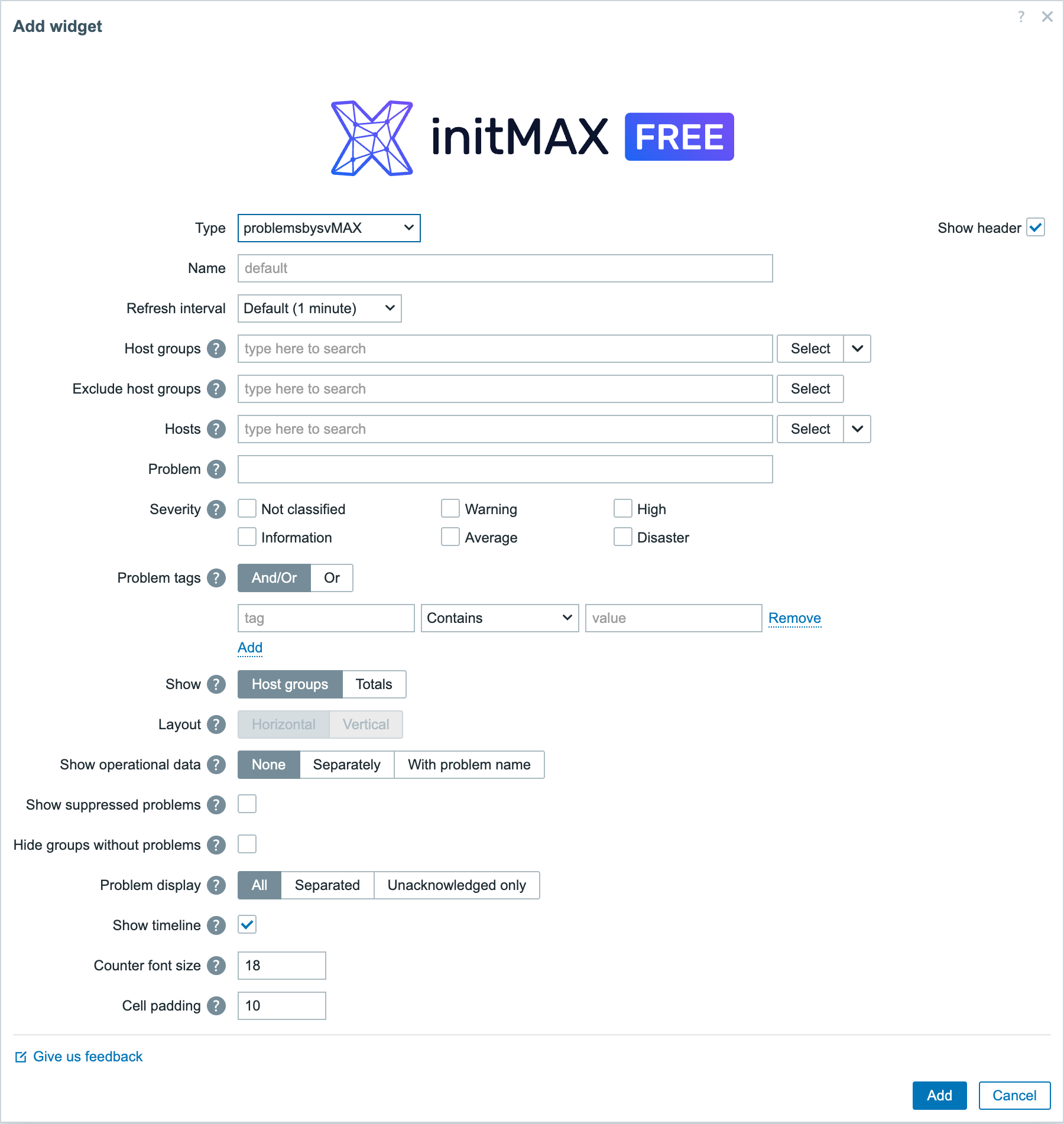
problemsbysvMAX is Zabbix’s own Problems by severity widget with two changes customers asked for: a severity cell with no open problems is not painted at all, and the counter font size (10-64 px) together with the cell padding (0-50 px) is configurable. Everything else works exactly like the stock widget, across Zabbix 6.0 – 8.0.
- Hide severity levels without problems.
- Configurable counter font size.
- Configurable padding for a compact presentation.
Usage examples
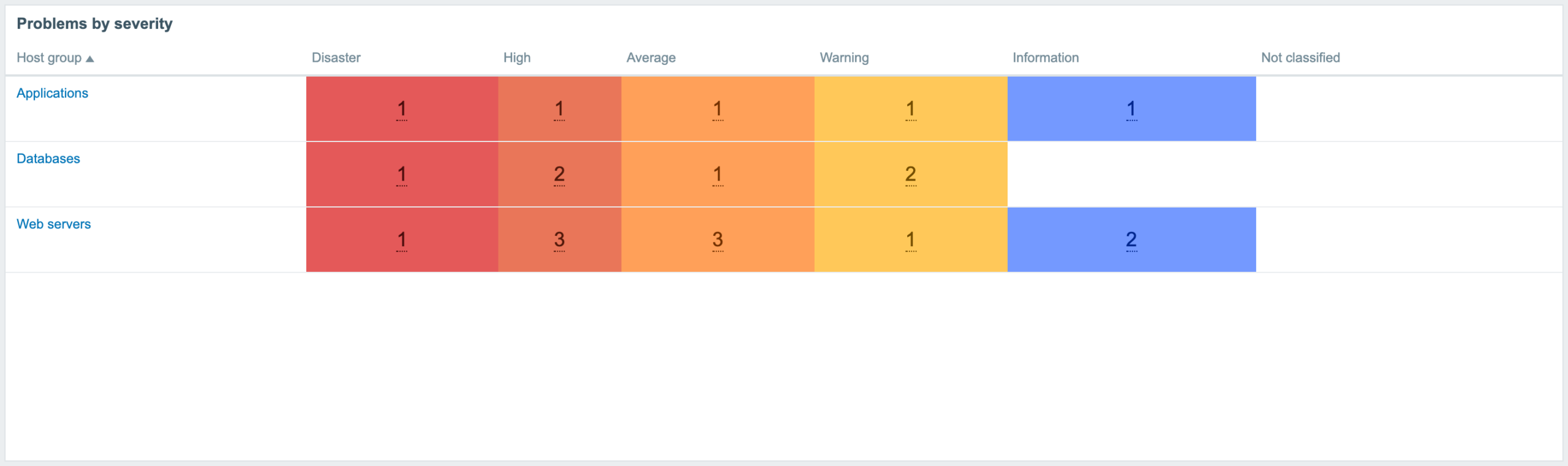
Example 1: Only severities with problems are painted
Three host groups across all six Zabbix severities. In this example, five severity columns contain open problems; Not classified is empty. Only cells with open problems are coloured.
Example 2: Readable from across the room
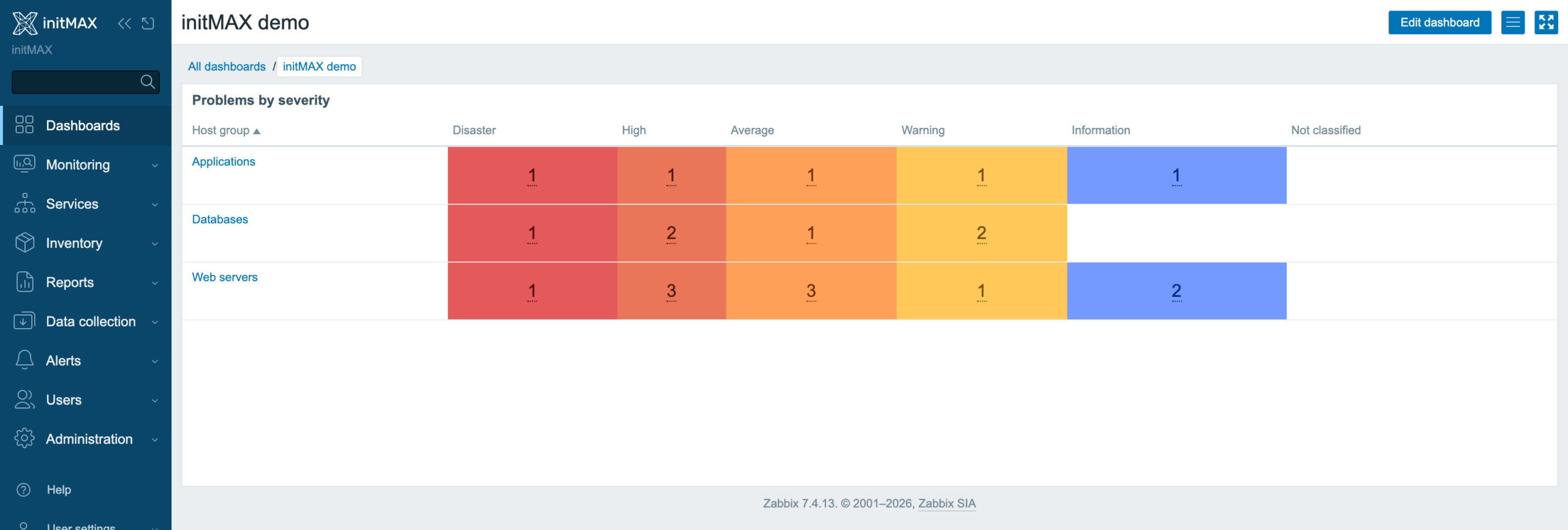
The same widget on a dashboard, with the counter font size and cell padding raised so the numbers stay legible on a wall-mounted screen.
Installation
Problems by severity MAX is distributed as a standard deb/rpm package from our repository repo.initmax.com. The package detects your frontend version and deploys the matching module tree into it. It supports Zabbix 6.0 – 8.0 and is HA ready – multi-frontend / HA setups work out of the box, just install the package on every frontend node.
Connect to the server running the Zabbix frontend over SSH (do this on every frontend node) and pick your distribution. Would you rather have a plain archive? Every release also ships as a ZIP – FREE straight from the repository – handy for offline or manual installs.
RHEL / Rocky / Alma
# RHEL / Rocky / Alma
rpm -Uvh https://repo.initmax.com/zabbix/release/initmax-release-latest.noarch.rpm
dnf clean all && dnf install -y zabbix-module-problemsbysvmax
SUSE
# SUSE
rpm -Uvh https://repo.initmax.com/zabbix/release/initmax-release-latest.noarch.rpm
zypper --gpg-auto-import-keys refresh && zypper install -y zabbix-module-problemsbysvmax
Debian / Ubuntu
# Debian / Ubuntu
wget https://repo.initmax.com/zabbix/release/initmax-release-latest_all.deb
dpkg -i initmax-release-latest_all.deb
apt update && apt install zabbix-module-problemsbysvmax
Verification
A new module is automatically registered and enabled during DEB/RPM package installation. You can verify its status in the Zabbix frontend menu: Administration → General → Modules.
If the widget was already running on that frontend (from an earlier package or from a manual installation), the package keeps its state – a module you disabled on purpose stays disabled – and the old manual copy is cleaned up as well, so the widget never shows up twice in the module list. Updates then arrive through your package manager (apt / dnf / zypper) like any other system package.
Manual ZIP installation: the package installation script does not run. After extracting the version matching your Zabbix into the frontend’s modules directory, sign in as a Super admin, open Administration → General → Modules, run Scan directory and set the new module to Enabled.
Configuration
The widget keeps every field of the stock Problems by severity widget – a dashboard built with the core widget keeps all its settings when it is switched to problemsbysvMAX. The last two fields are the ones this widget adds.
Where to get it?
If you’re interested in this widget, you can find it in our product catalog. There you’ll learn more about the available versions and how to get the product.