
Description
AI Preprocessing Assistant designs Zabbix preprocessing from a real sample value: you say what the result should be, it proposes the chain, writes every step into the item form, sets the matching type of information and verifies the outcome with Zabbix’s own test – one click restores the previous preprocessing if you change your mind. It suggests only step types your Zabbix version actually offers, supports OpenAI, Google Gemini, Anthropic Claude and self-hosted OpenAI-compatible endpoints, and streams the answers in the signed-in user’s language. Every AI call is made by the Zabbix PHP backend – the API key never reaches the browser. One PRO package supports Zabbix 6.0 – 8.0 and is HA ready.
Usage Examples
The assistant lives on the item form: open the Preprocessing tab and press the AI Preprocessing Assistant button. The first value comes in through "Get value" or is pasted by hand – item types Zabbix cannot test (a trapper, for one) get the assistant’s own dialog with a manual value field.
Example 1: Say what you need
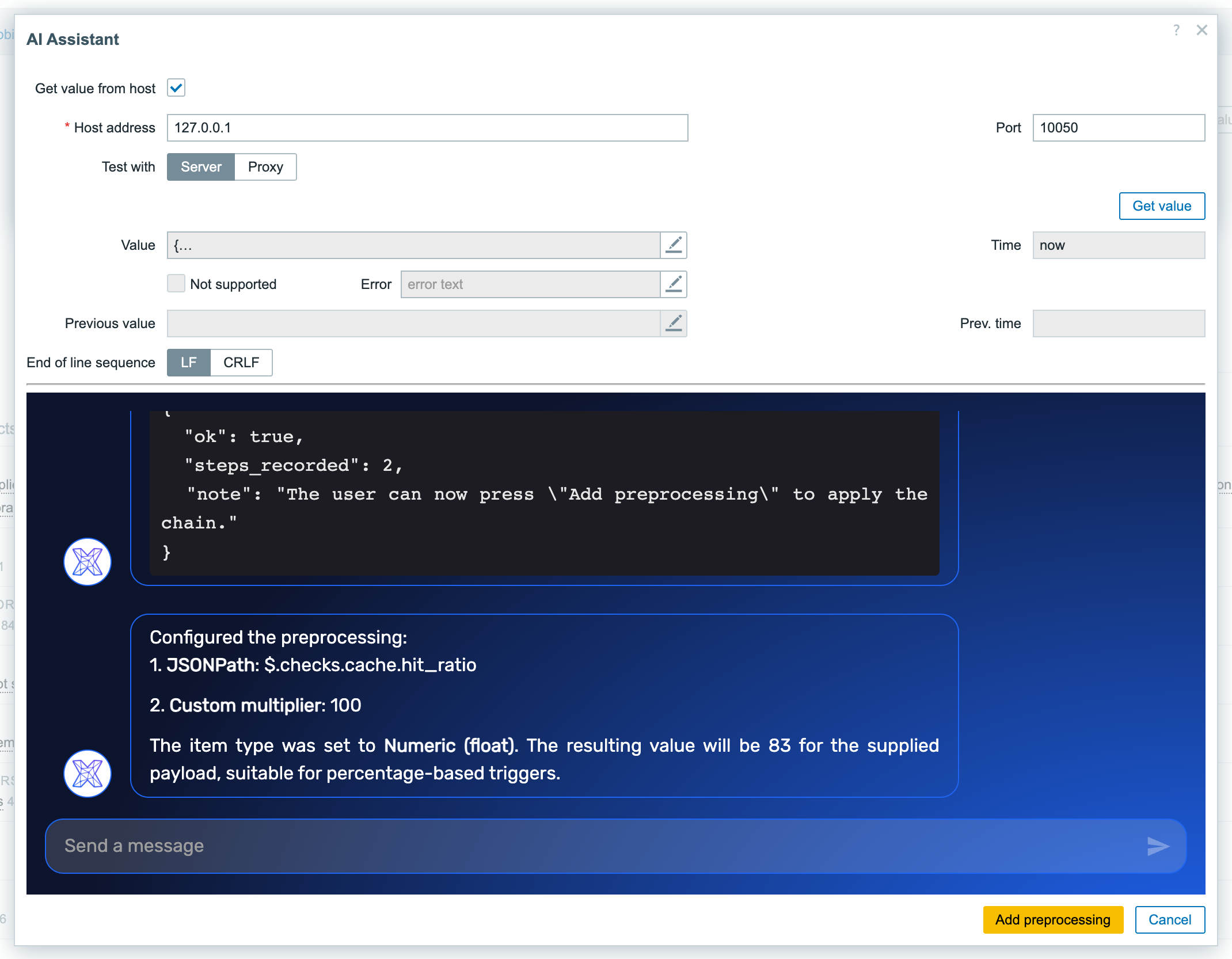
Paste the JSON a health endpoint returns and say what you want out of it. The assistant proposes the chain – here a JSONPath to the cache hit ratio and a custom multiplier to turn 0.83 into 83 – together with the right type of information, and unlocks Add preprocessing.
Example 2: The chain lands in the item form
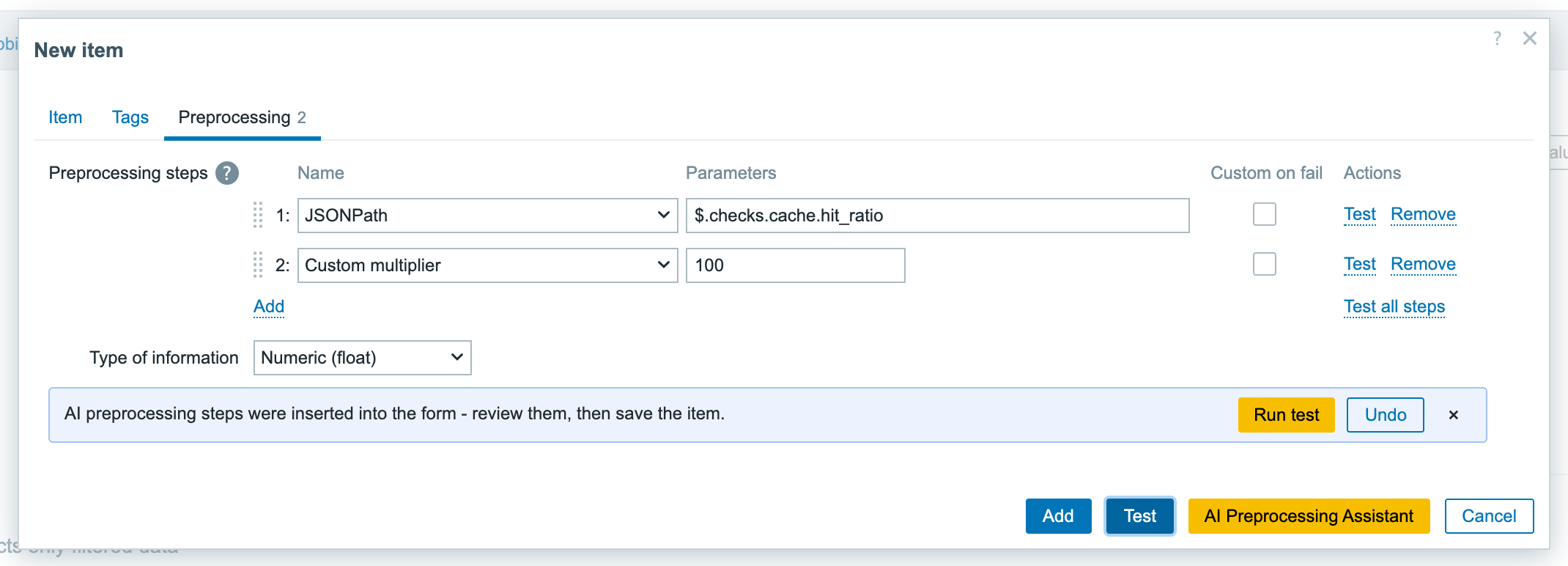
One click writes every step into the form and highlights what changed. The bar under the list offers Run test and Undo – the previous preprocessing is one click away.
Example 3: The result is verified immediately
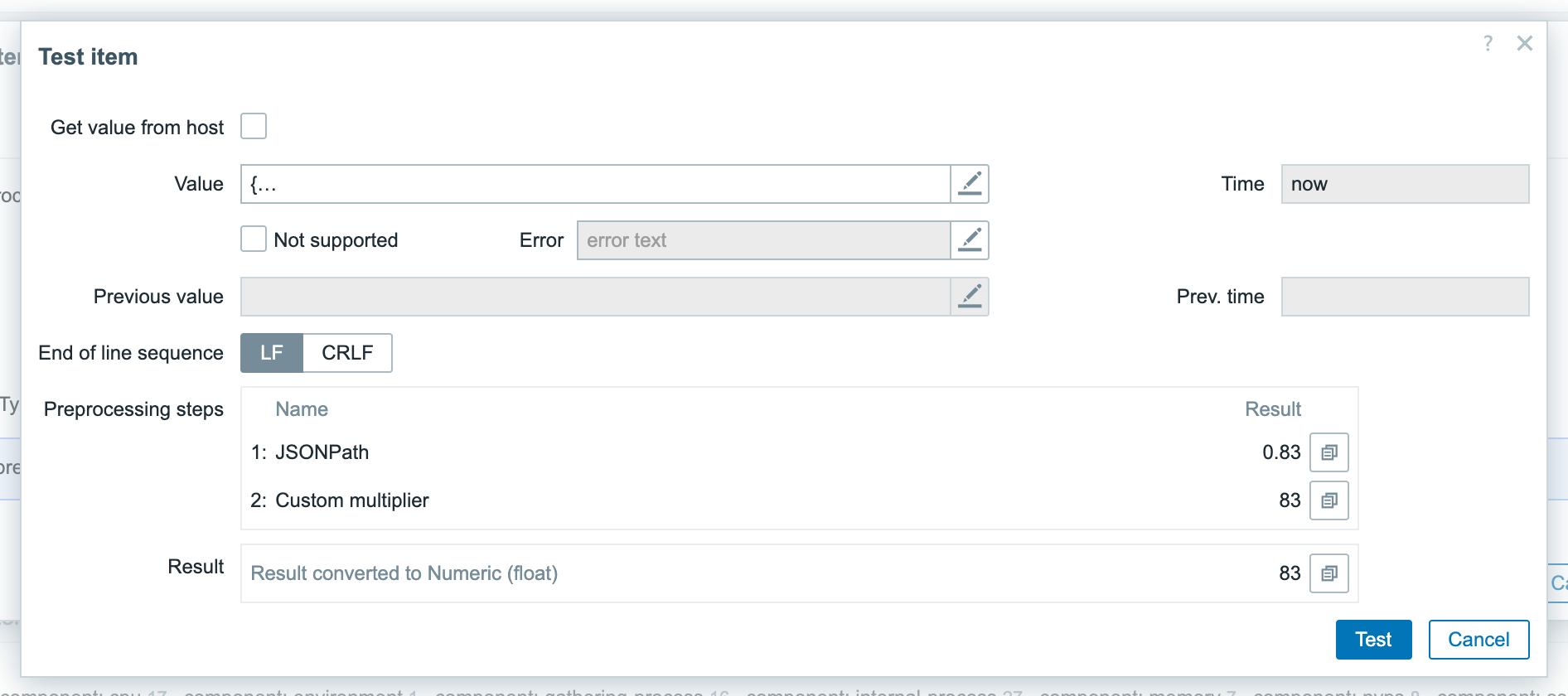
Right after the insert the assistant opens Zabbix’s own test dialog with your sample value and runs it, so you see the real result of the whole chain – no guessing whether the regex matches.
Installation
AI Preprocessing Assistant is distributed as a standard deb/rpm package from our repository repo.initmax.com. The package detects your frontend version and deploys the matching module tree into it. It supports Zabbix 6.0 – 8.0 and is HA ready – multi-frontend / HA setups work out of the box, just install the package on every frontend node.
Connect to the server running the Zabbix frontend over SSH (do this on every frontend node) and pick your distribution. Would you rather have a plain archive? Every release also ships as a ZIP – you can download from the customer portal once you sign in – handy for offline or manual installs.
RHEL / Rocky / Alma

PRO edition
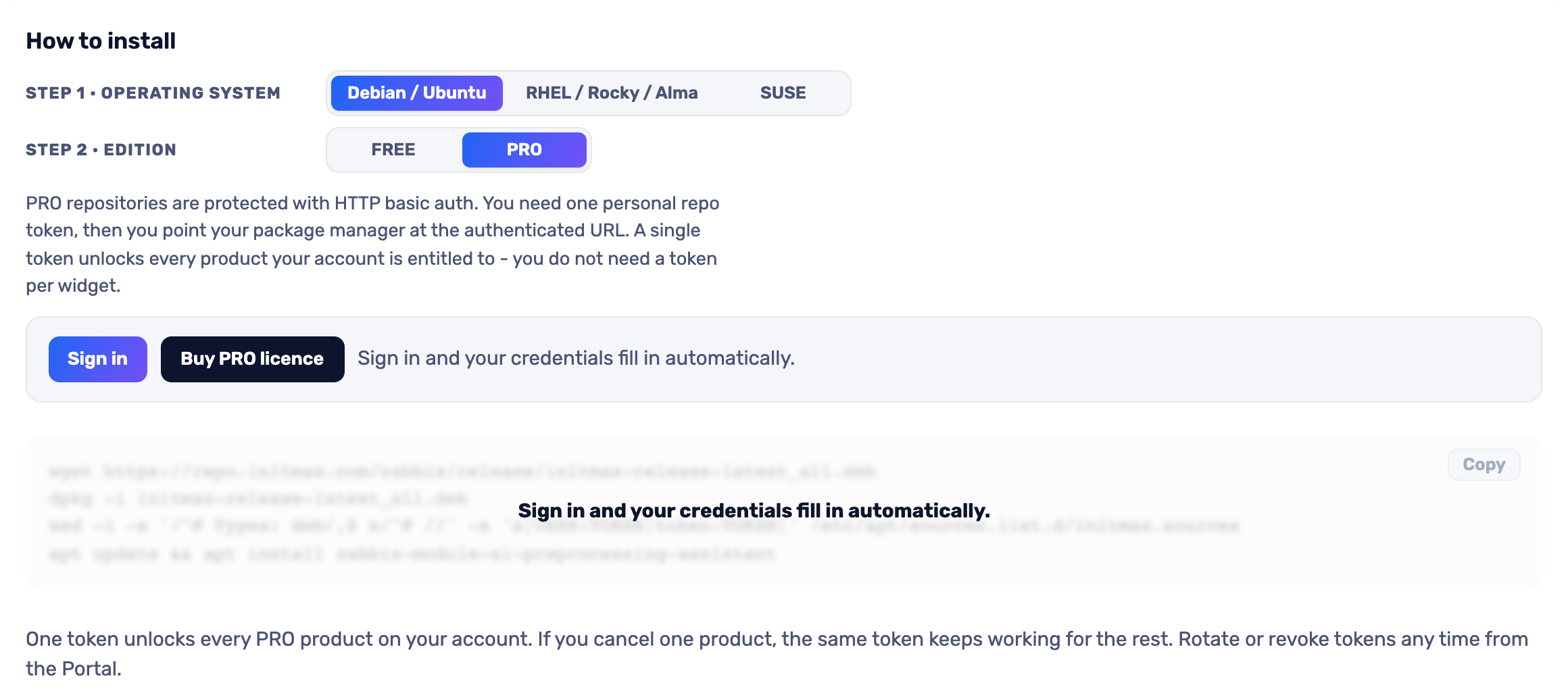
The most convenient route is the portal: pick your operating system and the PRO edition, sign in and your token is filled into the command for you – just copy it. Open the installer in the portal (the image below is clickable too).
SUSE
PRO edition
The most convenient route is the portal: pick your operating system and the PRO edition, sign in and your token is filled into the command for you – just copy it. Open the installer in the portal (the image below is clickable too).
Debian / Ubuntu
PRO edition
The most convenient route is the portal: pick your operating system and the PRO edition, sign in and your token is filled into the command for you – just copy it. Open the installer in the portal (the image below is clickable too).
Verification
The module is enabled automatically during the package installation. You can verify it in the Zabbix frontend menu: Administration → General → Modules
If the module was already running on that frontend (from an earlier package or from a manual installation), the package keeps its state – a module you disabled on purpose stays disabled – and the old manual copy is cleaned up as well, so the module never shows up twice in the module list. Updates then arrive through your package manager (apt / dnf / zypper) like any other system package.
Module configuration
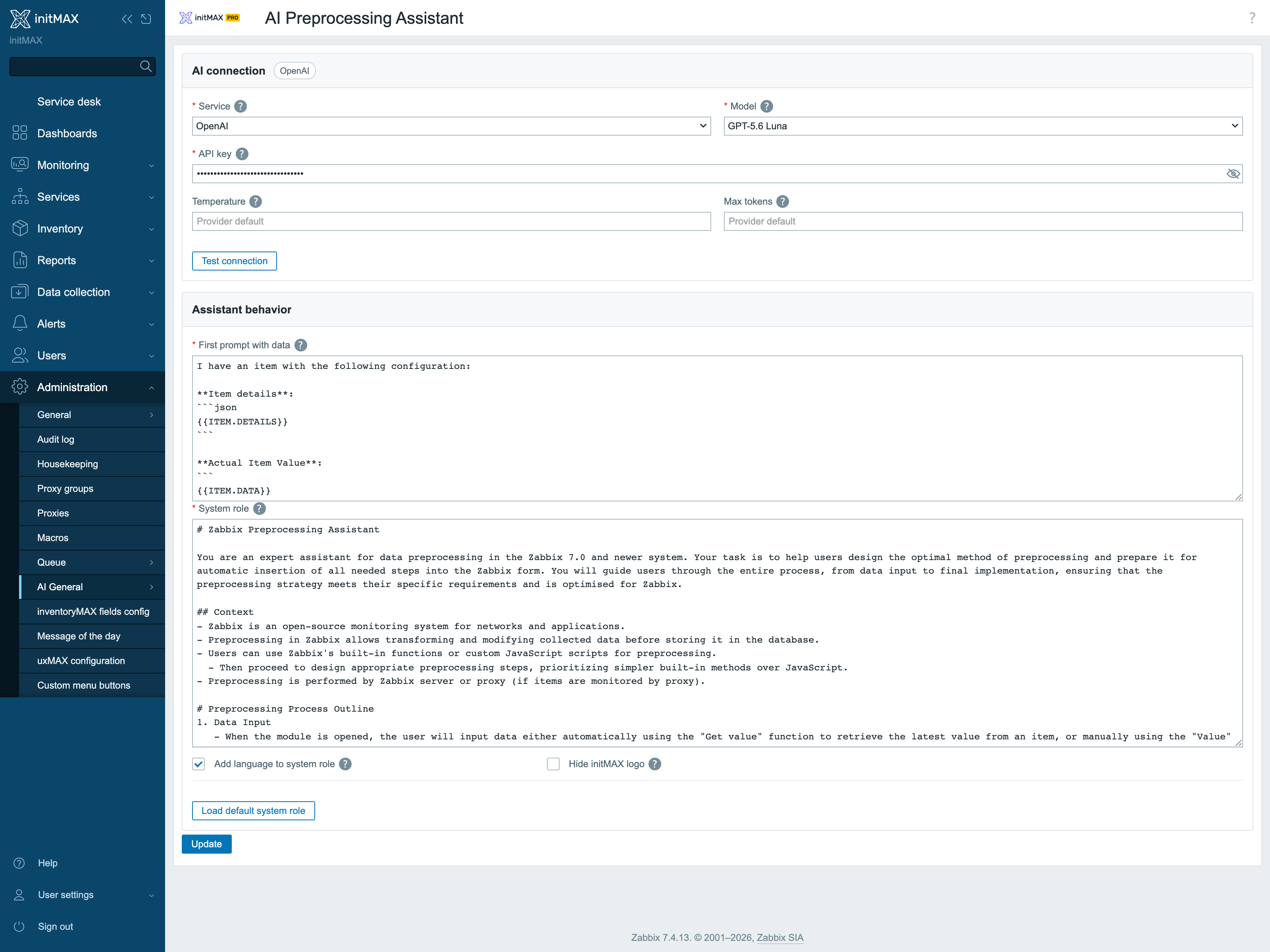
Open Administration → General → AI General → AI Preprocessing Assistant. Everything the module needs lives on this one page:
- AI connection – the provider (OpenAI, Google Gemini, Anthropic Claude or a custom OpenAI-compatible endpoint), the model and the API key. A stored key renders only as a mask of its length; the eye fetches it back on an explicit click, and the key itself is used exclusively server-side.
- Temperature and Max tokens – optional tuning; left empty, the provider defaults apply.
- Test connection – verifies the key and the endpoint right on the page, before the first item is opened.
- Assistant behavior – the first prompt template ({{ITEM.DETAILS}} and {{ITEM.DATA}} are replaced with the item configuration and the sample value), the system role with a one-click return to the shipped default, answers in the signed-in user’s language, streamed responses and an option to hide the initMAX logo in the chat.
Where to get it?
If you’re interested in this module, you can find it in our product catalog. There you’ll learn more about the available versions and how to get the product.