
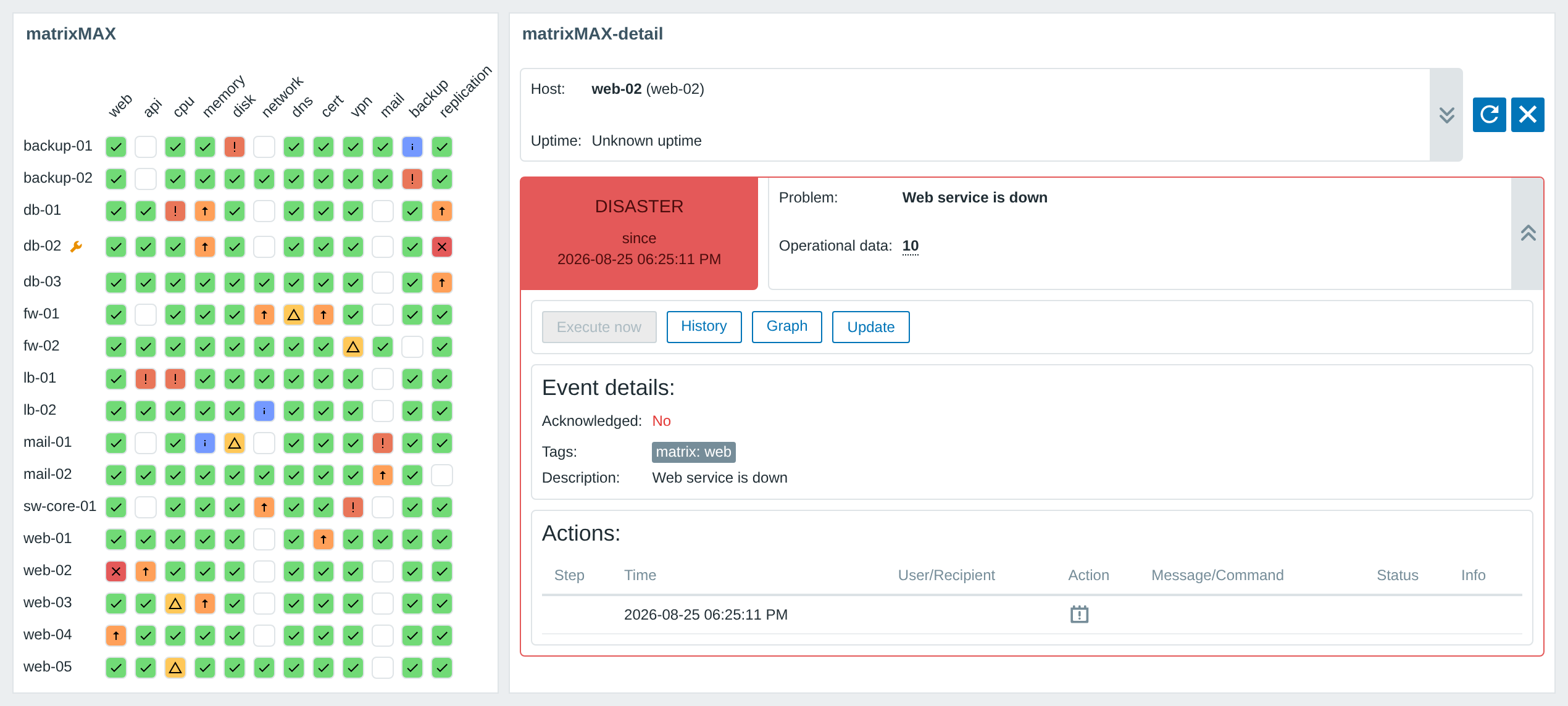
Description
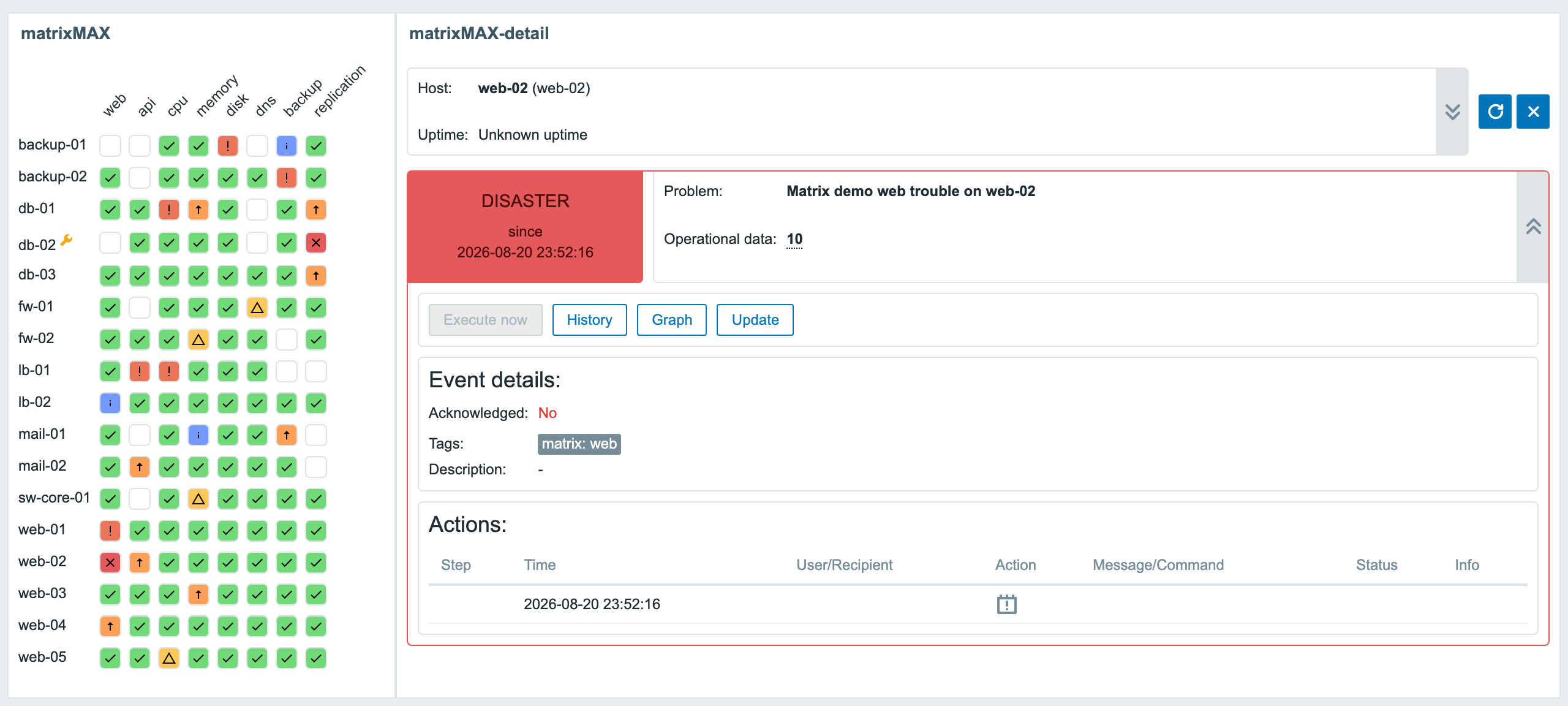
matrixMAX is a PRO Zabbix widget that lays the problems of a chosen host group out as a single grid: rows are hosts, columns are trigger tags. The columns come from trigger tags in the key:value form – the default source is the matrix tag, but any tag name works as a column source. A cell is coloured by the highest open severity behind it, in Zabbix’s own severity palette; a blank cell means the host has no check behind that column. A red row is one host having a bad day, a red column is one check failing everywhere.
The product contains two separate widgets in one package: the matrixMAX grid and the matrixMAX-detail companion. Add them side by side on the dashboard. Clicking a cell passes the selected host and trigger to the detail – the problem, operational data, event details, inventory and the Update, Execute now, History and Graph actions. On Zabbix 7.0 and newer, select the source matrix in the detail widget settings; the pair uses native widget-to-widget communication. On versions 6.0 – 6.4, the detail automatically follows matrices on the same dashboard, without a source widget picker. If you do not add a detail tile on those versions, clicking a cell opens the detail in a dialog. On Zabbix 7.0 and newer, add and link the matrixMAX-detail widget to display the detail.
The small things matter in daily use too: macros in trigger names ({HOST.NAME} and the rest) resolve to their real values, expanded detail cards survive the dashboard auto-refresh, Execute now is enabled only when an item behind the trigger actually supports it, and a widget with no trigger tags configured yet explains what to add instead of rendering a blank tile. The widget has full dark theme support and is translated into all 25 Zabbix display languages. One package covers Zabbix 6.0 – 7.4. matrixMAX is sold as PRO only – there is no free edition.
Usage examples
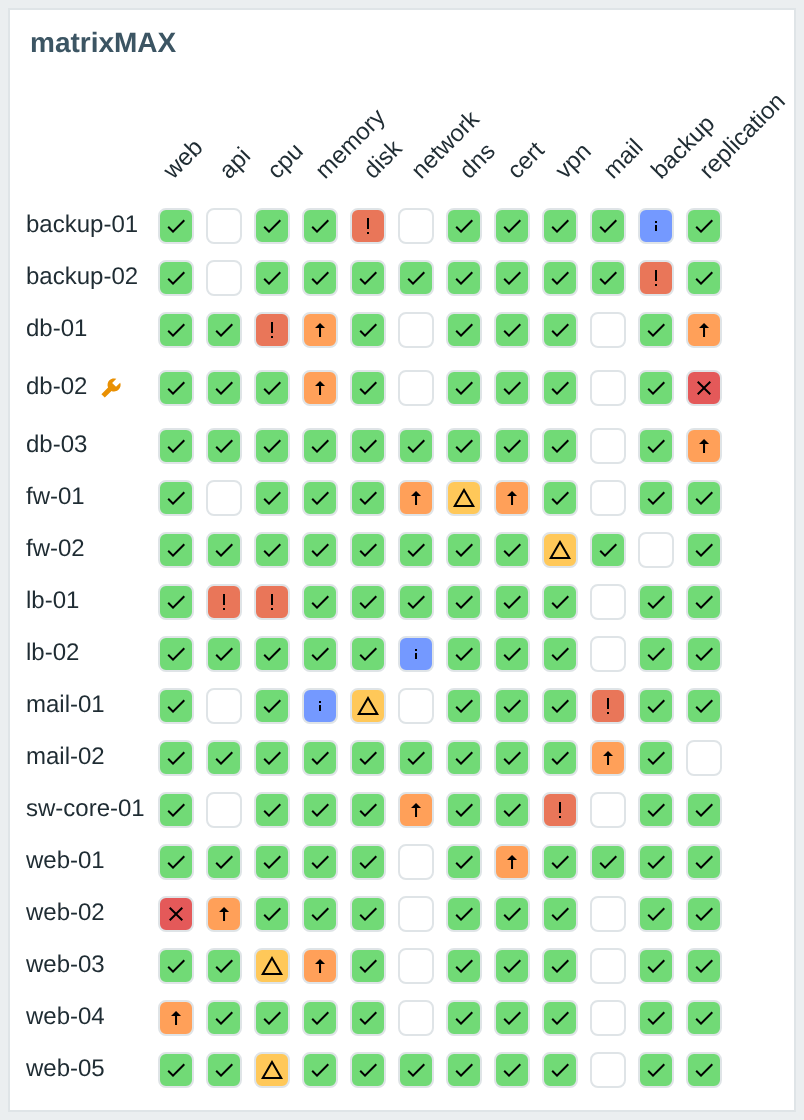
1. A NOC board: hosts against service tags (PRO)
Pick the host groups, press Load “matrix” tags to fill the columns from the triggers your hosts actually carry, and you have a board whose state is readable from across the room. Green means the check passes, a coloured icon an open problem, a blank cell a missing check and a wrench a host in maintenance. A left click on a host or on a tag takes you to Monitoring → Problems with the matching filter; a right click opens Zabbix’s own context menu.
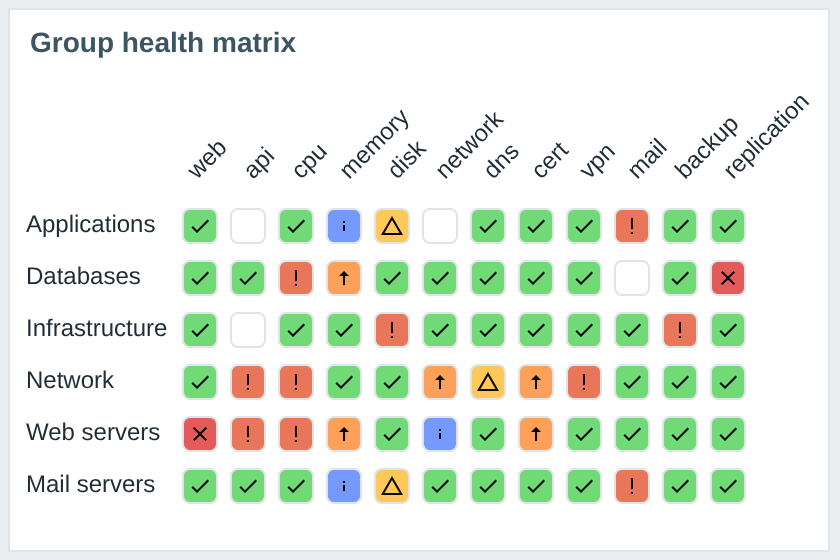
2. Rows folded into host groups (PRO)
The Rows by switch decides what one row is. In Host groups mode hosts fold into their groups and a group cell shows the worst problem found on any host of the group behind that column. Only the hosts the matrix would show are counted, and a host that belongs to two shown groups counts in both rows. A hundred hosts fit into a handful of rows.
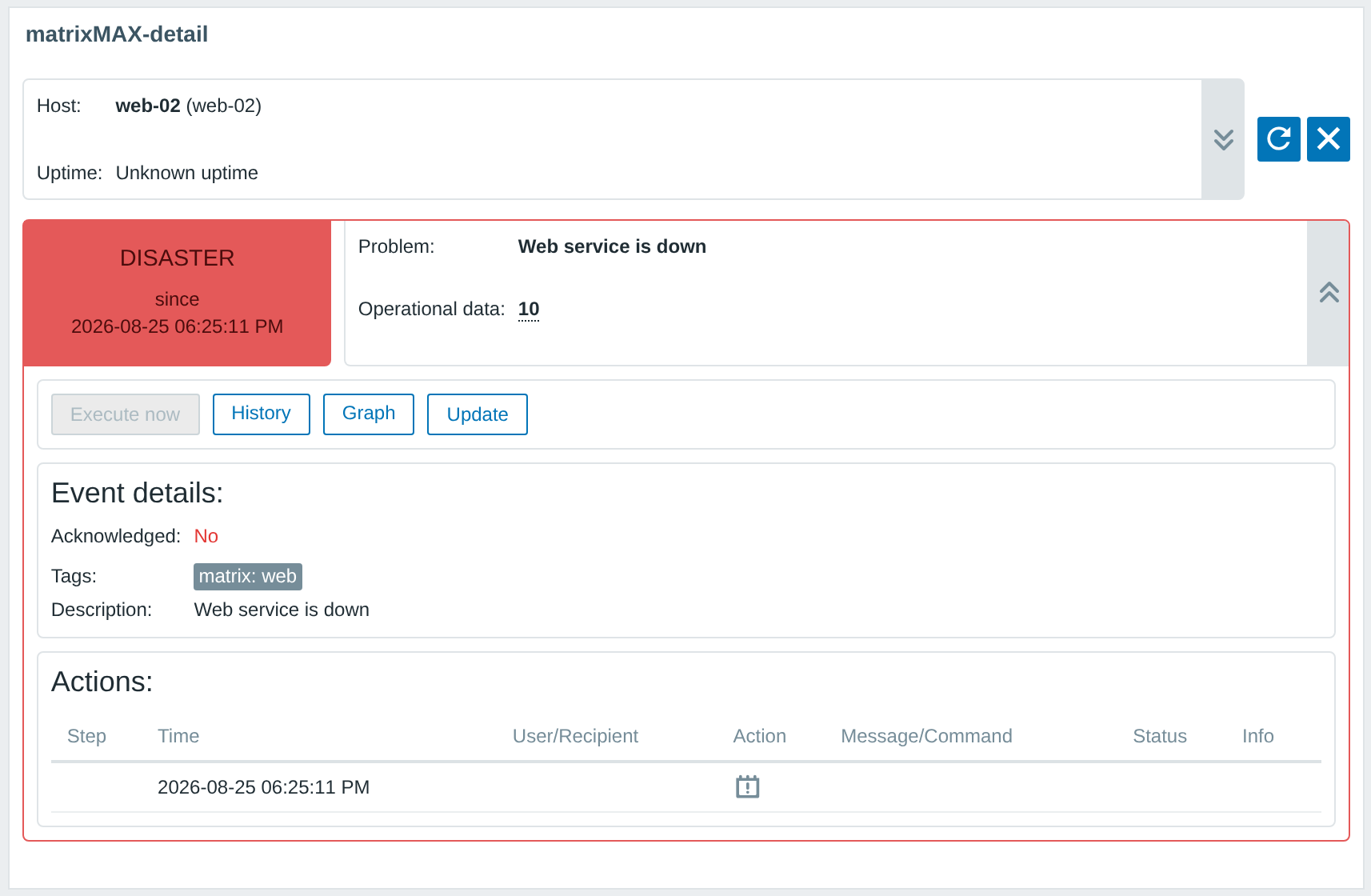
3. The cell detail in the companion widget (PRO)
Click a cell and matrixMAX-detail shows what is behind it: the host, its uptime and your chosen inventory fields, a severity card with the time the problem started, the problem name, operational data, event details including tags and acknowledgement, the action log, and the Update, Execute now, History and Graph buttons. Cards you expanded stay expanded across the dashboard auto-refresh.
4. Matrix and detail on Zabbix 6.0 – 6.4 (PRO)
On Zabbix 6.0 – 6.4, add the matrix and detail as two separate tiles to the dashboard. The package connects them: the detail responds to clicks in matrices on the same dashboard, so there is no source widget picker in its settings. If you do not add the detail tile, clicking a cell opens the same detail in a dialog. The screenshot shows the pair on Zabbix 6.2.
Installation
matrixMAX is distributed as a signed deb/rpm package from our repository repo.initmax.com. The package detects your frontend version and deploys the matching branch of the module into it. It supports Zabbix 6.0 – 7.4 and is HA ready – multi-frontend and HA deployments work out of the box, just install the package on every frontend node.
Connect to the server running the Zabbix frontend over SSH (do this on every frontend node) and pick your distribution. Prefer a plain archive? Every release also ships as a ZIP, downloadable from the customer portal once you sign in – handy for offline or manual installs.
RHEL / Rocky / Alma

PRO edition
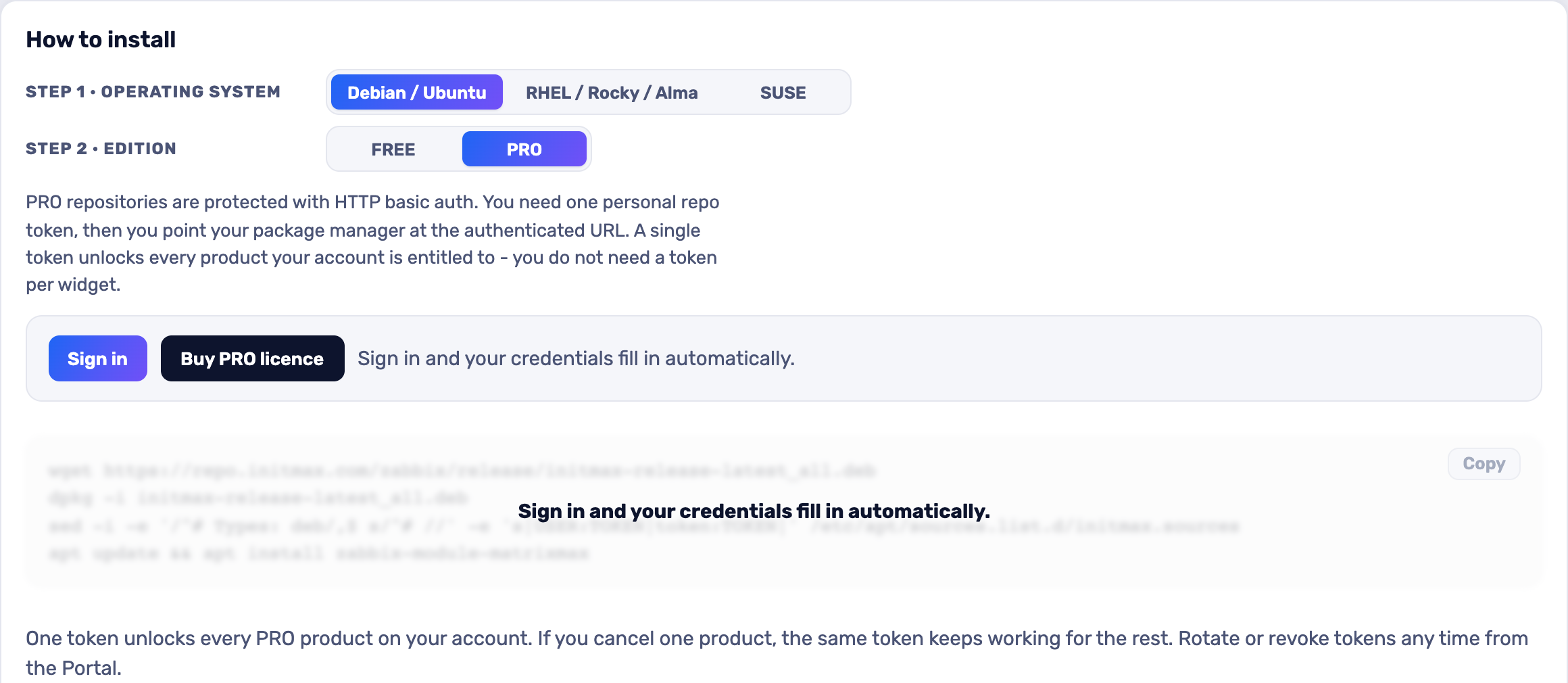
matrixMAX is sold as PRO only and its repository is token-protected, so there is no command here to copy blindly. The easiest way is the portal: pick RHEL / Rocky / Alma, sign in, and your token is filled into the dnf command for you. Open the installer in the portal (the picture below is a link too).
SUSE
PRO edition
matrixMAX is sold as PRO only and its repository is token-protected, so there is no command here to copy blindly. The easiest way is the portal: pick SUSE, sign in, and your token is filled into the zypper command for you. Open the installer in the portal (the picture below is a link too).
Debian / Ubuntu
PRO edition
matrixMAX is sold as PRO only and its repository is token-protected, so there is no command here to copy blindly. The easiest way is the portal: pick Debian / Ubuntu, sign in, and your token is filled into the apt command for you. Open the installer in the portal (the picture below is a link too).
Verifying and enabling the module
The module is enabled automatically during the package installation. You can verify it in the Zabbix frontend menu: Administration → General → Modules – both matrixMAX and the matrixMAX-detail companion are listed there.
If the widget was already running on the frontend (from an earlier package or a manual install), the package preserves its state – a module you disabled yourself stays disabled – and the old manual copy is cleaned up so the widget does not appear twice in the module list. Updates then arrive through your package manager (apt / dnf / zypper) like any other system package.
Configuration
matrixMAX
The columns of the matrix come from trigger tags. Every trigger you want to see in the grid has to carry a tag – the default key is matrix with a specific value (e.g. cpu, disk). The Load “matrix” tags button reads the triggers of the selected hosts and fills the values in for you; any tag name works as a column source, just type it into a row. Both loaders are non-destructive: they only append what is not in the list yet and leave the rows you typed or dragged exactly where they are.
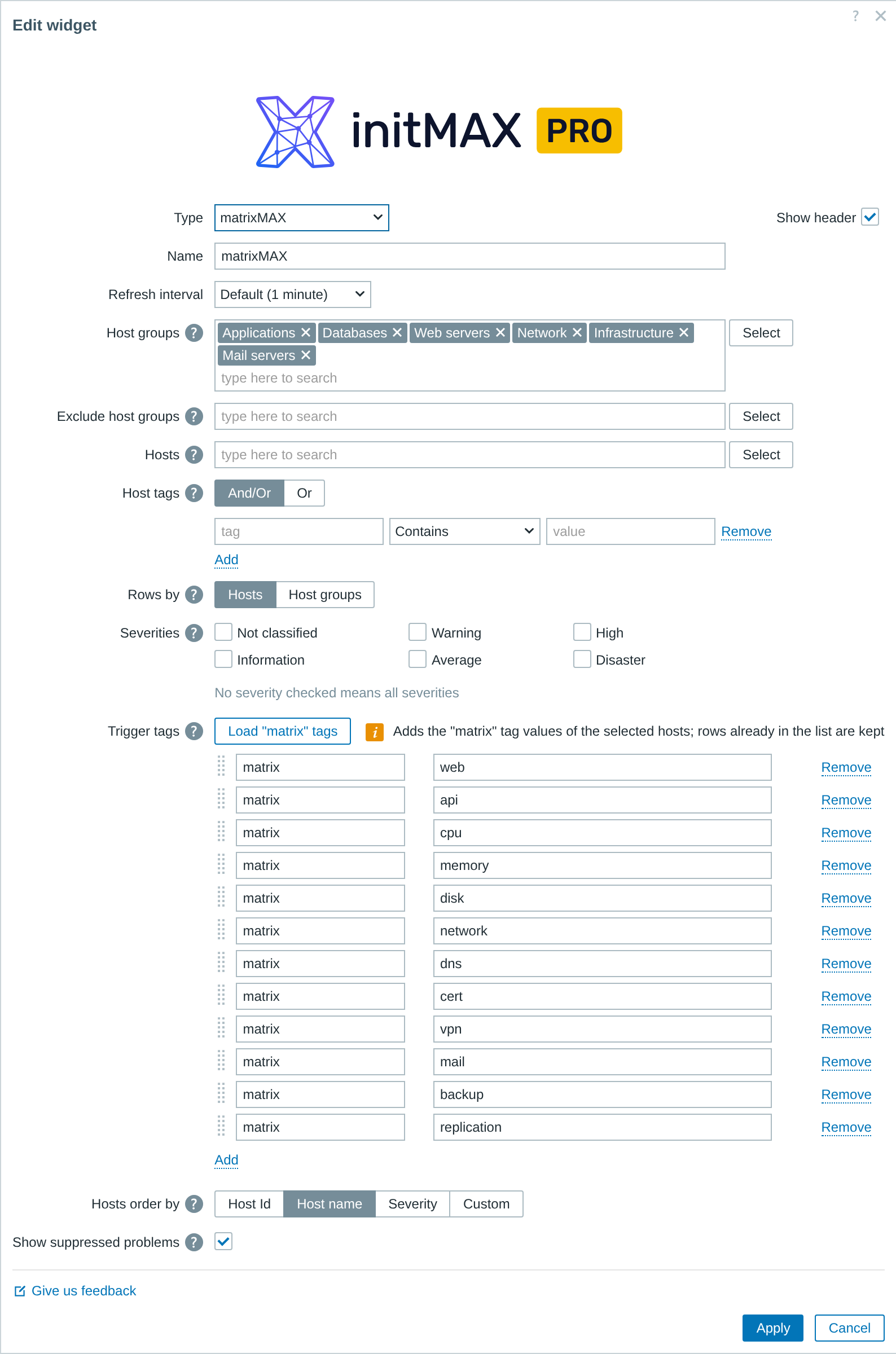
| Field | Description |
| Type | Widget type – choose matrixMAX |
| Name | Widget name |
| Refresh interval | How often the widget reloads its data |
| Host groups | Host groups whose hosts become the rows of the matrix. Empty means all hosts you have permission to see. |
| Exclude host groups | Host groups to leave out. A host that belongs to any of them is removed from the matrix even when another field would include it. |
| Hosts | Individual hosts added to the hosts of the selected groups. |
| Host tags | Filter hosts by their tags, in And/Or or Or mode. An empty list means no tag filtering. |
| Rows by | What one row is. Hosts = one row per host. Host groups = hosts folded into their groups; a group cell shows the worst problem on any host of the group behind that column. |
| Severities | Which problem severities the matrix takes into account. Nothing checked means all severities. |
| Trigger tags | The columns of the matrix, one per tag and value. Load “matrix” tags appends the values found and keeps existing rows. Any tag name can be typed in by hand. |
| Hosts order by | Row order: Host Id, Host name, Severity, or Custom (arranged by dragging). In host groups mode Host Id means group id and Custom is disabled. |
| Custom order of hosts | The custom row order. Load hosts appends the hosts of the current selection; rows already in the list keep their place and dragged order. |
| Show suppressed problems | On: suppressed problems (hosts in maintenance) are counted and coloured like any other. Off: they are hidden and a host in maintenance can look fine. |
matrixMAX-detail
The companion widget needs to know which matrix it follows. Pick it in the MatrixMAX widget field and optionally add up to three inventory fields to show next to the host name. If the inventoryMAX module is present on the frontend, the form says so and you can use {INVENTORYMAX.*} macros in the values.
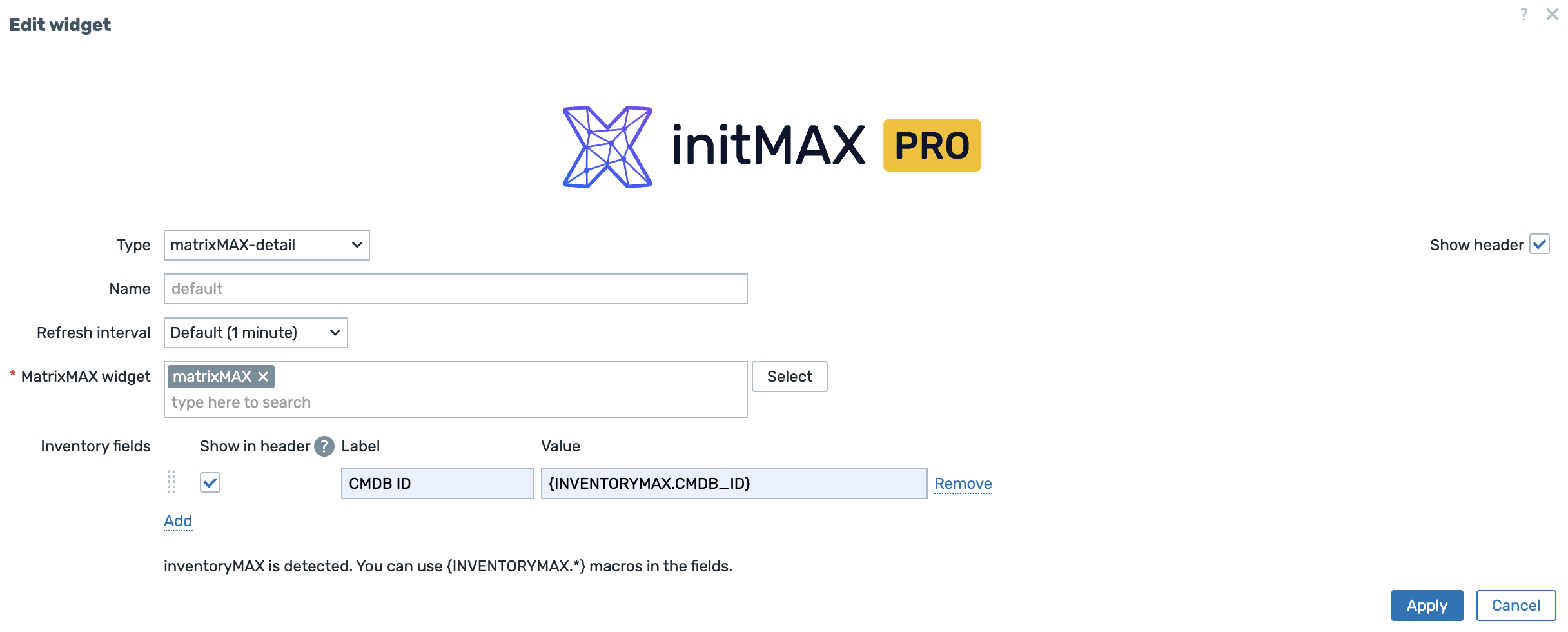
| Field | Description |
| Type | Widget type – choose matrixMAX-detail |
| Name | Widget name |
| Refresh interval | How often the widget reloads its data |
| MatrixMAX widget | Required source matrixMAX widget selection on Zabbix 7.0 and newer. On versions 6.0 – 6.4 this field is not shown; the detail follows matrices on the same dashboard. |
| Inventory fields | A label and a value using inventory macros, shown next to the host name. Tick Show in header to move them into the tile header. |
Where to get it?
If this widget caught your interest, you will find it in our product catalog, together with the price, the lifetime licence and how to get the product.