
Copy and assign saved filters between users and groups from one administration interface.
What the product provides
- Pick a source user and any of their saved filter tabs from Problems, Hosts and Latest data.
- Target individual users, complete user groups or both in one assignment.
- Add stores the assignment, Add and run copies the filters immediately; Existing filters controls whether filters are added alongside, overwritten or skipped.
- The list keeps every assignment – run or delete it again any time, in bulk.
- When the source user reorders or deletes a filter tab, stored assignments follow.
- One FREE package (AGPLv3) covers Zabbix 6.0 – 8.0, speaks all 27 Zabbix display languages and is HA ready.
Usage Examples
The whole workflow is three screens: the source user’s saved filters, the assignment dialog, and the list that remembers every assignment.
Example 1: The source user’s saved filters
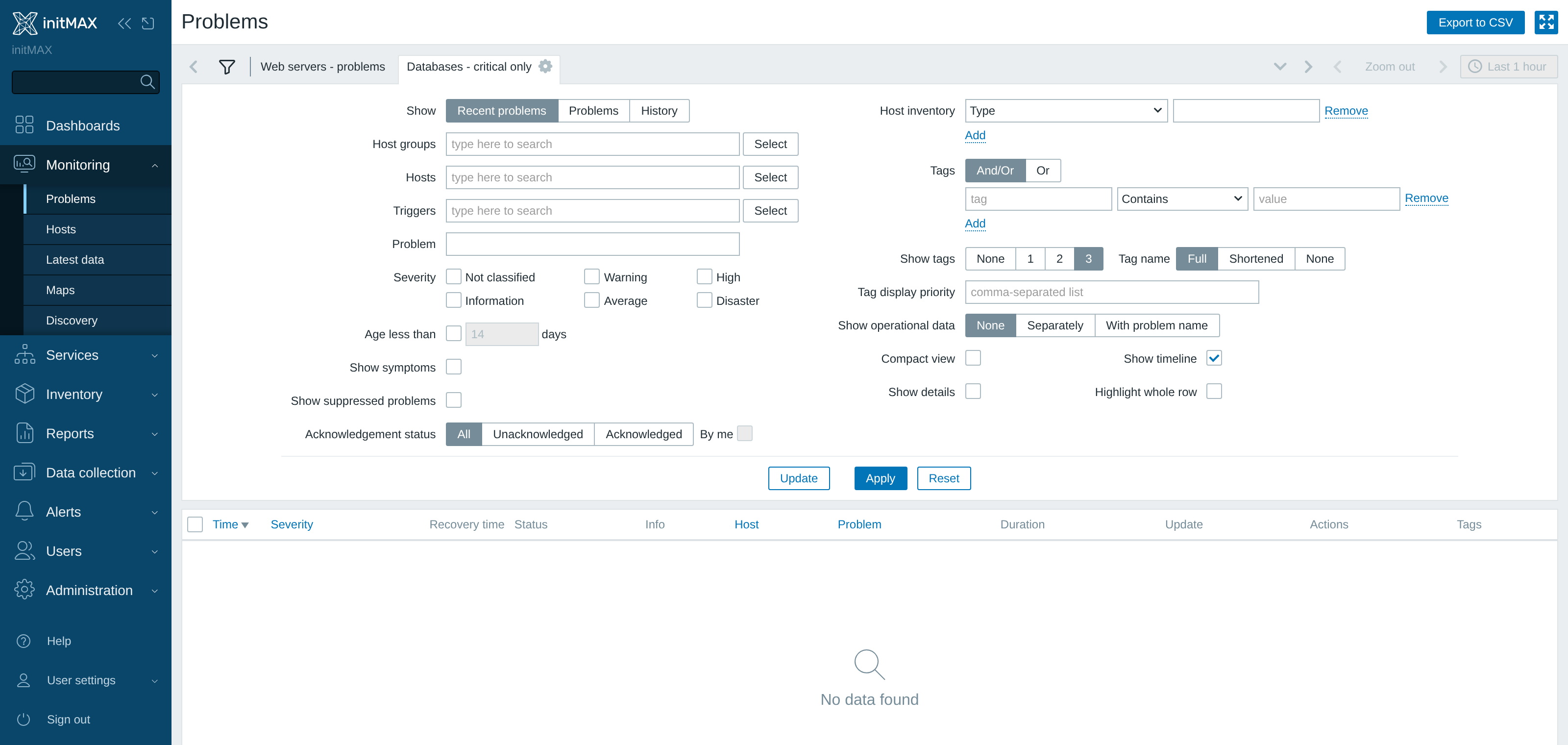
Every Zabbix user can save filter tabs on Problems, Hosts and Latest data – here the source user keeps tuned views saved on the Problems page. These tabs are exactly what userfilterMAX copies: the view an experienced engineer built becomes the material for the assignment.
Example 2: Copy them to users or groups
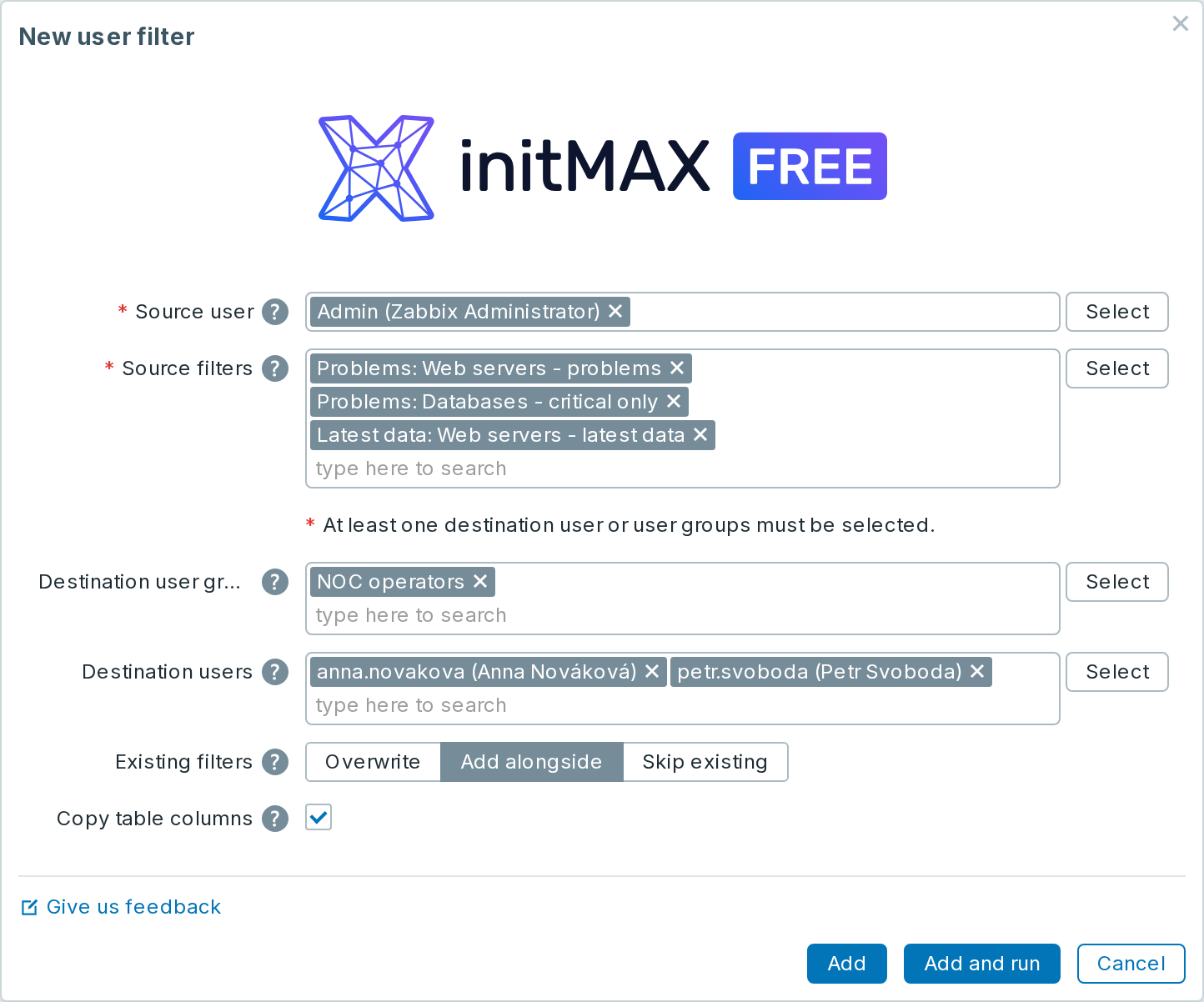
Open Users → User filter manager and click Create user filter. Select the source user, pick which of their saved filters to copy, and choose destination users, user groups or both – Add stores the assignment, Add and run copies the filters immediately.
Example 3: The assignment list, re-run any time
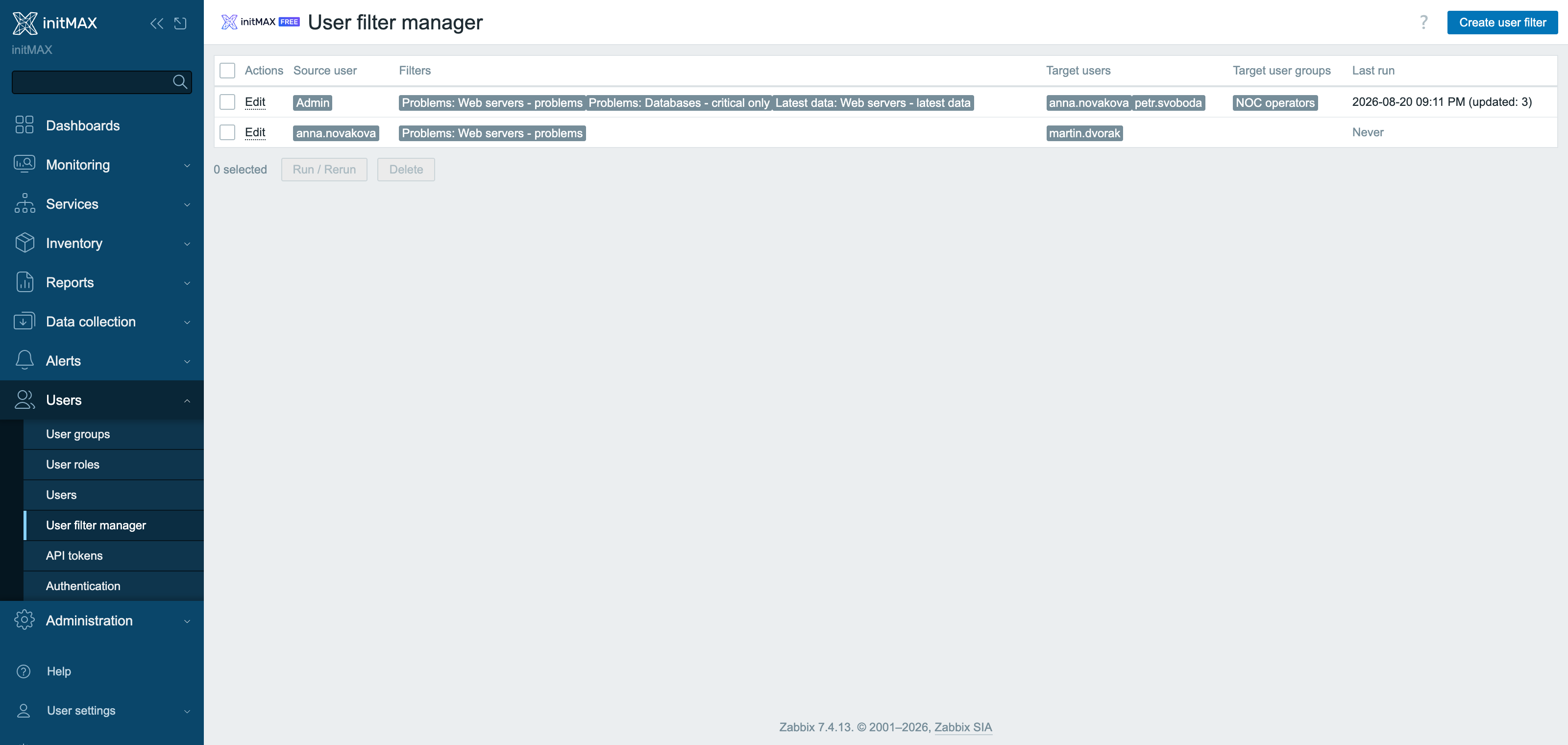
Each assignment stays in the list with its source user, the copied filters and the target users and groups. Run it again any time – after onboarding a new colleague or when group membership changes – or tick several rows and run or delete them in bulk.
Installation
userfilterMAX is distributed as a standard deb/rpm package from our repository repo.initmax.com. The package detects your frontend version and deploys the matching module tree into it. It supports Zabbix 6.0 – 8.0 and is HA ready – multi-frontend / HA setups work out of the box, just install the package on every frontend node.
Connect to the server running the Zabbix frontend over SSH (do this on every frontend node) and pick your distribution. Would you rather have a plain archive? Every release also ships as a ZIP – FREE straight from the repository – handy for offline or manual installs.
RHEL / Rocky / Alma
# RHEL / Rocky / Alma
rpm -Uvh https://repo.initmax.com/zabbix/release/initmax-release-latest.noarch.rpm
dnf clean all && dnf install -y zabbix-module-userfiltermax
SUSE
# SUSE
rpm -Uvh https://repo.initmax.com/zabbix/release/initmax-release-latest.noarch.rpm
zypper --gpg-auto-import-keys refresh && zypper install -y zabbix-module-userfiltermax
Debian / Ubuntu
# Debian / Ubuntu
wget https://repo.initmax.com/zabbix/release/initmax-release-latest_all.deb
dpkg -i initmax-release-latest_all.deb
apt update && apt install zabbix-module-userfiltermax
Verification
The module is enabled automatically during the package installation. You can verify it in the Zabbix frontend menu: Administration → General → Modules
If the module was already running on that frontend (from an earlier package or from a manual installation), the package keeps its state – a module you disabled on purpose stays disabled – and the old manual copy is cleaned up as well, so the module never shows up twice in the module list. Updates then arrive through your package manager (apt / dnf / zypper) like any other system package.
Configuration
Copying table columns on Zabbix 8.0 (FREE)
From Zabbix 8.0, you can copy the table layout together with a saved filter: selected columns, their order and widths. Use Copy table columns in the assignment form; it is enabled for a new assignment. This applies to Problems, Hosts and Latest data. The option is not shown on older Zabbix versions. The feature is included in FREE.
One page, no settings to tune. Open Users → User filter manager (on Zabbix 6.0 and 6.2 Administration → User filter manager) and click Create user filter:
Source user – the user whose saved filters are copied. Source filters – their saved filter tabs from Problems, Hosts and Latest data; start typing a name or use Select. Destination user group / Destination users – at least one of them is required. Add stores the assignment in the list, Add and run copies the filters at once. Tick rows in the list to Run or Delete several assignments at once.
Existing filters decides what happens when a destination user already has saved filters: Add alongside (the default) keeps the user’s own filters, Overwrite replaces the saved filters of the copied kind with the source set, and Skip existing copies only the tabs the user does not have yet. The list also shows a Last run column with the result of the last copy, so you can see at a glance which assignments have already run and which never did.
Where to get it?
If you’re interested in this module, you can find it in our product catalog. There you’ll learn more about the available versions and how to get the product.