
Description
chessMAX puts a complete chess game in a Zabbix dashboard tile. Play the bundled Stockfish engine at one of four levels, take turns at one screen, or play an existing Zabbix user in an independent browser session. All three modes are included in FREE.
The server validates moves and stores the game in the Zabbix database. Reloading the page or signing in again restores the saved position. Separate frontends using that database can serve the players; install the module on each frontend.
The package includes the chess engine, board graphics, icons and fonts. Playing does not require a third-party engine service, a CDN or an AI API key. Zabbix 6.0, 6.2, 6.4, 7.0, 7.2 and 7.4 are supported, with PHP 7.4 as the minimum supported runtime; use a PHP version supported by your particular Zabbix release.
The widget includes 27 display-language catalogues. It follows the user’s Zabbix language, including the legacy Dutch and Romanian catalogues for releases which expose those choices.
Examples
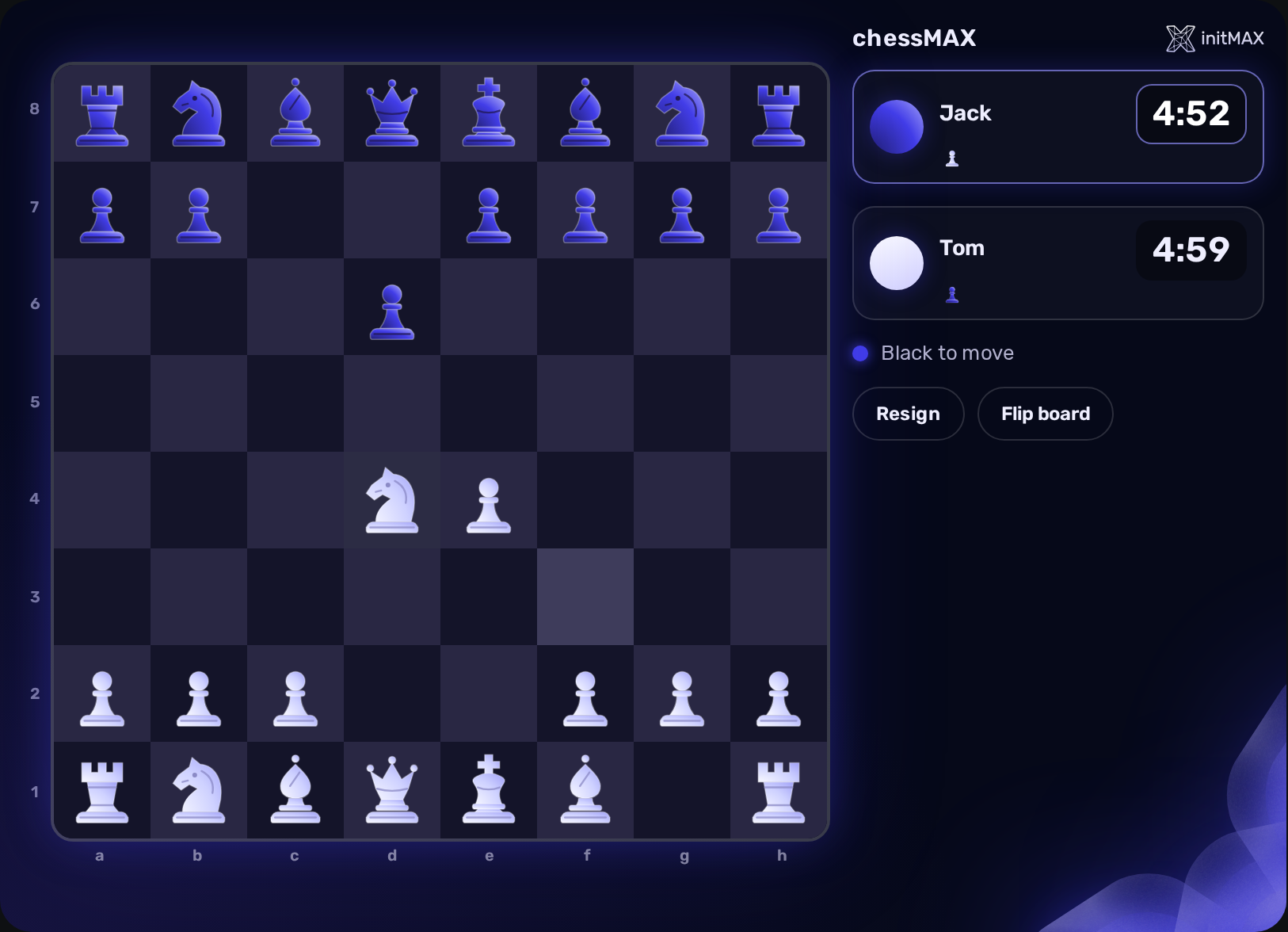
1. Two players at one screen (FREE)
Choose Two players, select White, Black or Coin toss, and enter the second player’s name. Tom and Jack share this board with five minutes per side. Move by clicking a piece and its destination, dragging a piece, or using the keyboard. Flip board changes the view without changing the saved game.
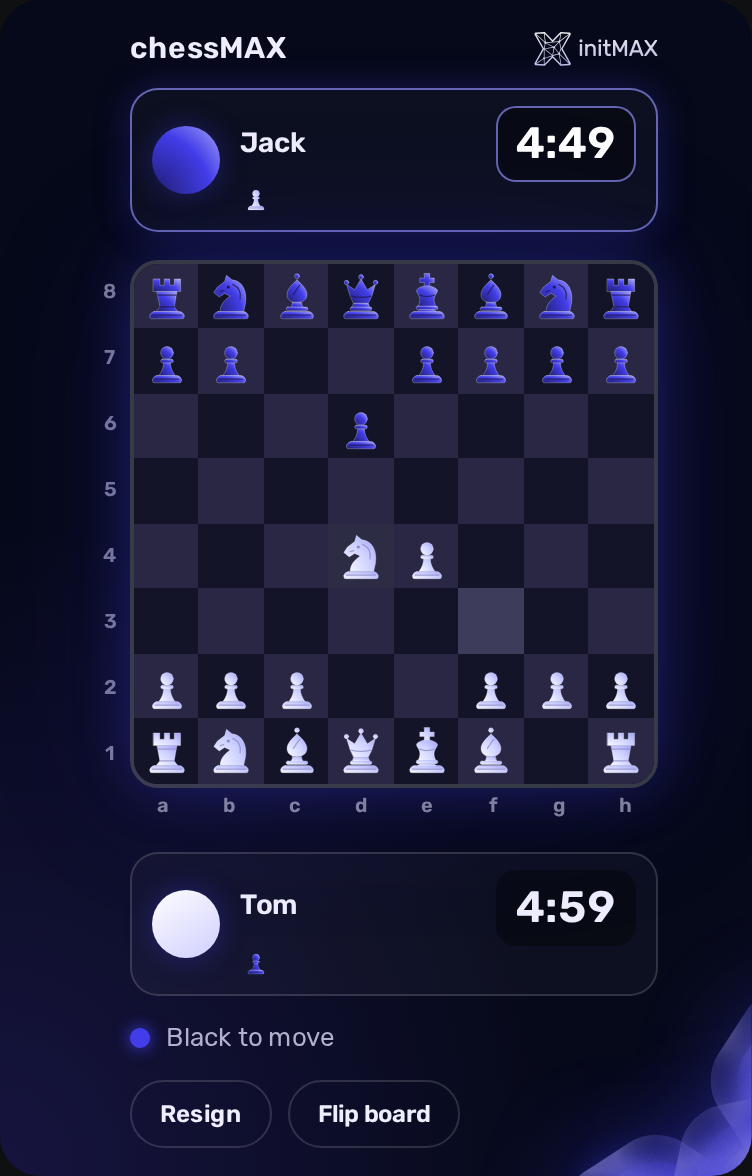
2. A tall dashboard tile (FREE)
Resize the tile to fit your dashboard. The player cards move above and below the board. Their avatars retain the correct piece color, and captured pieces wrap within each card. Points shows net material advantage; it is not a count of further captured pieces.
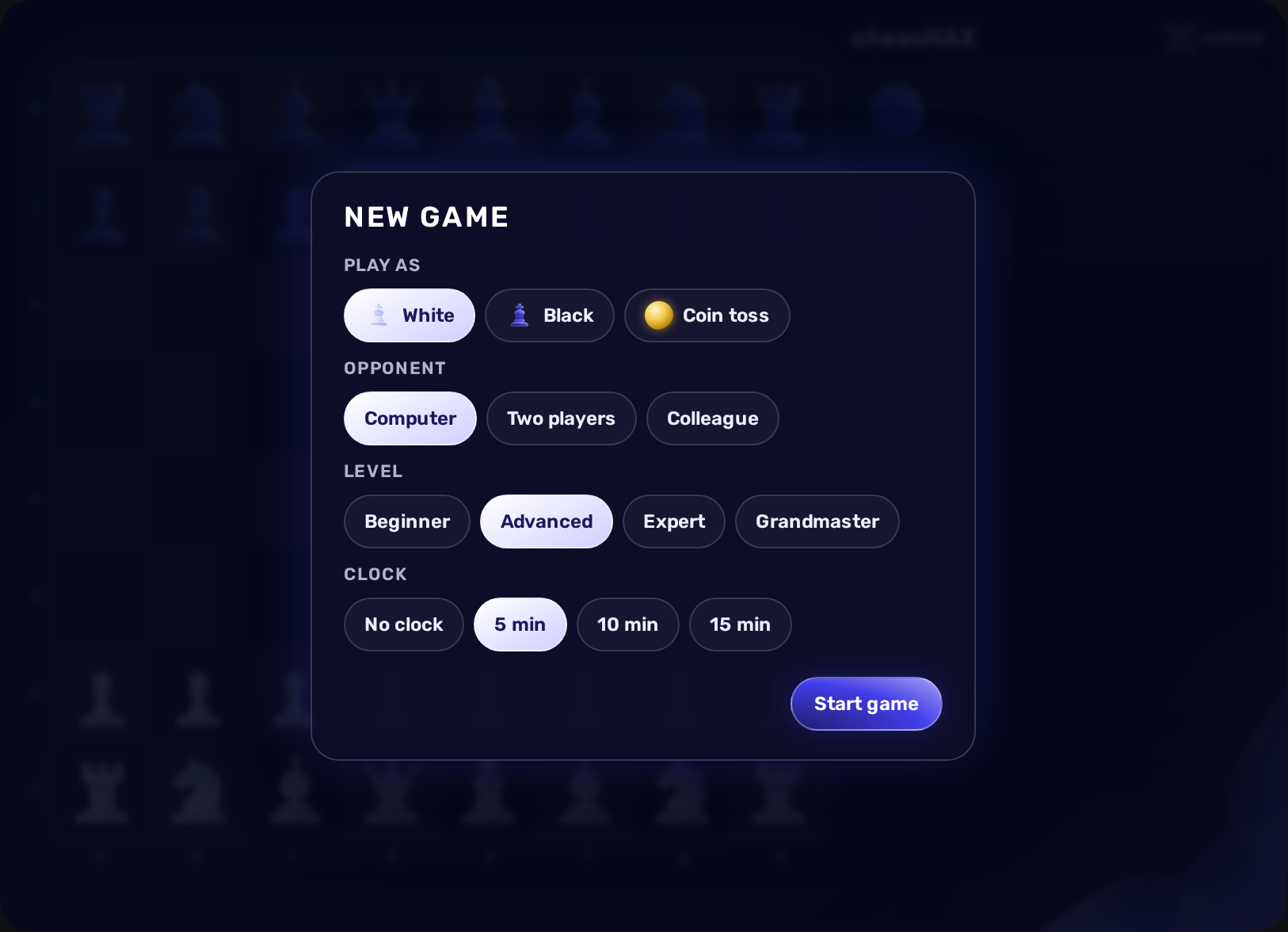
3. Start a game with your preferred rules (FREE)
Choose Computer and a difficulty: Beginner, Advanced, Expert or Grandmaster. Select a side and either no clock or 5, 10 or 15 minutes for each player. Start game creates a saved match; the engine runs in your browser.
Invite a colleague in another browser
To play in independent browsers, both participants must have enabled accounts in the same Zabbix installation and access to a dashboard with chessMAX. A Super admin selects Colleague, chooses the recipient and sends an invitation. The recipient may be an ordinary User.
The recipient can Accept or Decline. If declined, the sender receives a message. Before acceptance the sender can cancel the invitation. Invitation checks run periodically, so allow up to about 30 seconds while the recipient is in the lobby; active games synchronize more frequently.
After acceptance each player can move only their own side when it is their turn. Reloading either browser restores the same match. Resign ends the game for both players. The result stays available to a participant even if the other player starts a new game.
Installation
Install Zabbix itself before adding the widget. Use the initMAX Portal guide for zabbix-chessmax, choose your operating system and run its FREE installation instructions on every frontend server. The package name is zabbix-module-chessmax. The following commands use the official initMAX repository. The widget is HA ready: install the package on every frontend node.
RHEL / Rocky / Alma
rpm -Uvh https://repo.initmax.com/zabbix/release/initmax-release-latest.noarch.rpm
dnf clean all && dnf install -y zabbix-module-chessmax
SUSE
rpm -Uvh https://repo.initmax.com/zabbix/release/initmax-release-latest.noarch.rpm
zypper --gpg-auto-import-keys refresh && zypper install -y zabbix-module-chessmax
Debian / Ubuntu
wget https://repo.initmax.com/zabbix/release/initmax-release-latest_all.deb
dpkg -i initmax-release-latest_all.deb
apt update && apt install zabbix-module-chessmax
Offline or manual ZIP installation
For an offline or manual installation, download the FREE source ZIP from the portal. Read the included INSTALL.md and copy only the payload for your frontend into modules/chessmax: legacy for Zabbix 6.0/6.2, modern for 6.4 and later. The guide includes native-host and Docker examples. Do not install a second chessmax-legacy module. A ZIP has no package-manager upgrade hook; repeat the payload selection after crossing the manifest-version boundary.
Enable and add the widget
Native DEB/RPM installation selects the correct tree and registers/enables the module automatically. A module explicitly disabled by an administrator remains disabled. With a manual ZIP, scan the module directory in Zabbix and enable the single chessMAX entry. The menu location depends on the Zabbix version. Add chessMAX to a dashboard and save it. Install the package on every frontend in an HA deployment.
Updates
Keep the widget updated through your package manager. Native Debian triggers and RPM systemd watchers reselect the compatible payload when the Zabbix frontend package changes. The generated ZIP guide explains the manual equivalent. If a native installation needs recovery, reinstall the package or use its documented /usr/libexec/initmax-widget-deploy-chessmax helper as administrator.
Widget configuration
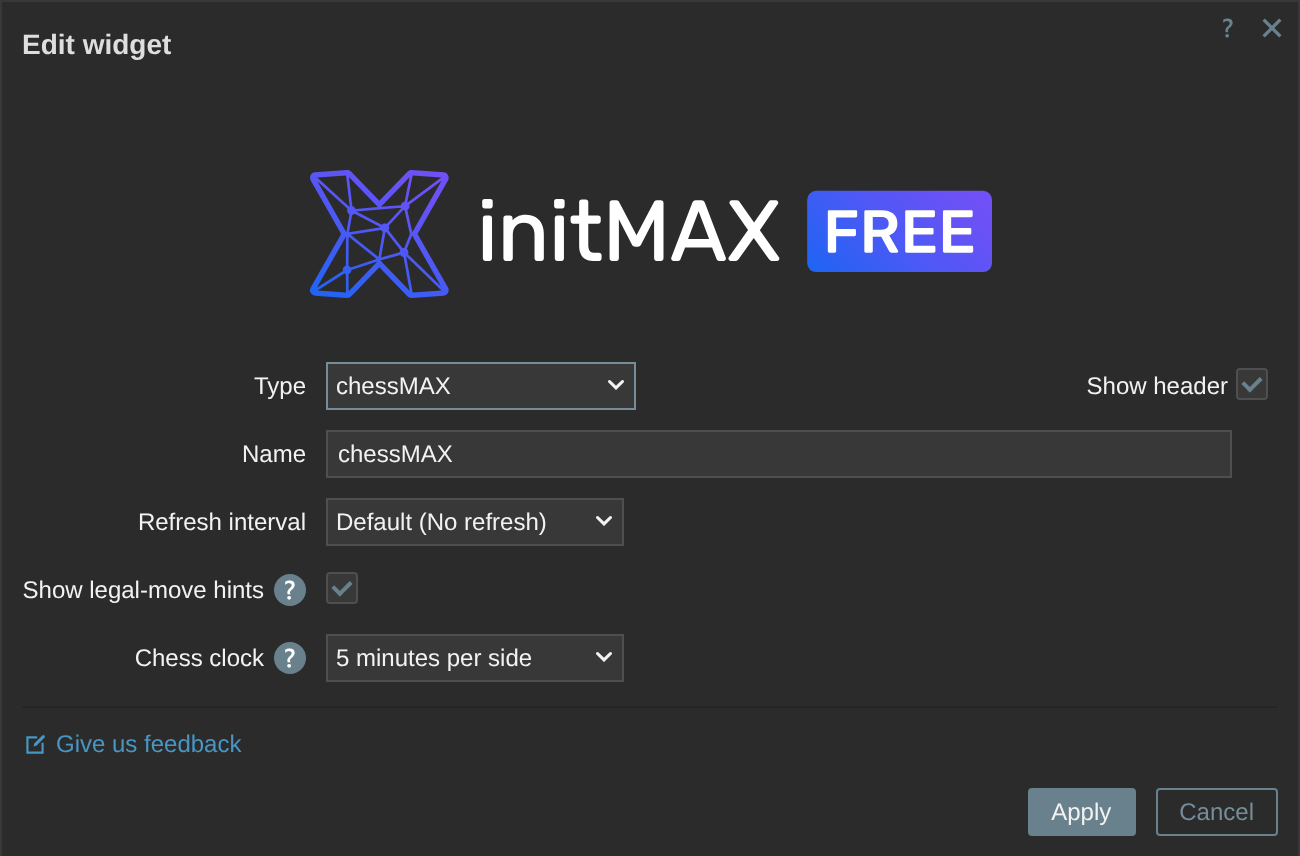
Show legal-move hints
Enabled by default. Hover or select a piece to see legal destinations: a dot on an empty square and a ring for a capture. Disabling hints changes only the display; the server still rejects illegal moves.
Chess clock
Sets the default for a new game: no clock, 5, 10 or 15 minutes per player. Each new-game dialog can choose its own time control. This does not reset the time of an already active game.
Save configuration
Apply the widget dialog and save the dashboard. The stored options survive reload and sign-out. The FREE badge identifies the edition; Give us feedback opens feedback for chessMAX.
Keyboard controls
Focus the widget and use arrow keys to move the board cursor. Space or Enter selects a piece or commits a legal destination; Escape clears the selection. Ordinary typing, spaces and cursor keys continue to work in the player-name input. Promotion offers queen, rook, bishop and knight, including keyboard selection.
Recovering a game
A temporarily failed move request causes the widget to recover the server’s saved position. If your session expires, use Reload and sign in again if necessary. If the engine cannot start, use Retry or leave the game through the displayed controls. Starting a fresh game from an unrecoverable position discards that match explicitly.
Download chessMAX FREE
Get chessMAX FREE from the initMAX Portal. The product page lists the supported versions and screenshots; the portal provides the installation instructions and downloadable packages. The widget is AGPLv3 and its bundled Stockfish engine is GPLv3.