
Zabbix 6.4 is here
The new version of Zabbix 6.4 introduces a number of interesting new features.
| Contact us for a free consultation and live demo | CONTACT US FOR A FREE CONSULTATION AND DEMO |
| Training for the latest LTS version, Zabbix 6.0, is already available | |
| You can also explore our Zabbix demo. Sign in with the “sign in as guest” button. |
New menu layout
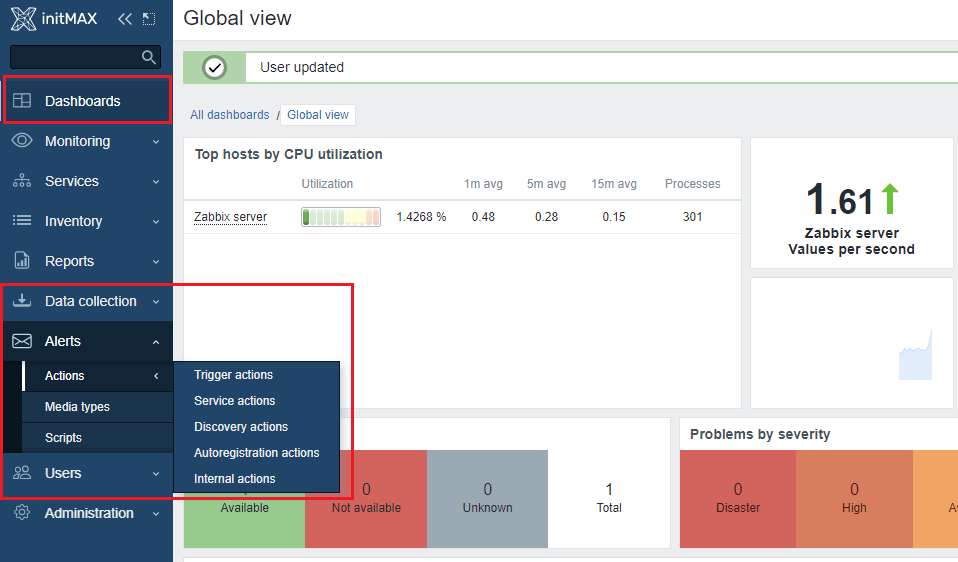
The new version introduces an updated menu layout with the following changes:
- Dashboards got their own separate item
- There is a new Alerts menu, which brings together everything about alerting, including all types of actions (TriggerActions, ServiceActions, etc.)
- A new Users menu has also been added, which contains everything about user management, such as User groups, User roles, Users, API tokens and Authentication
- The latest addition is the new Data collection menu, which replaces the previous Configuration menu and contains subsections related to data collection configuration
Zabbix server support for older proxies
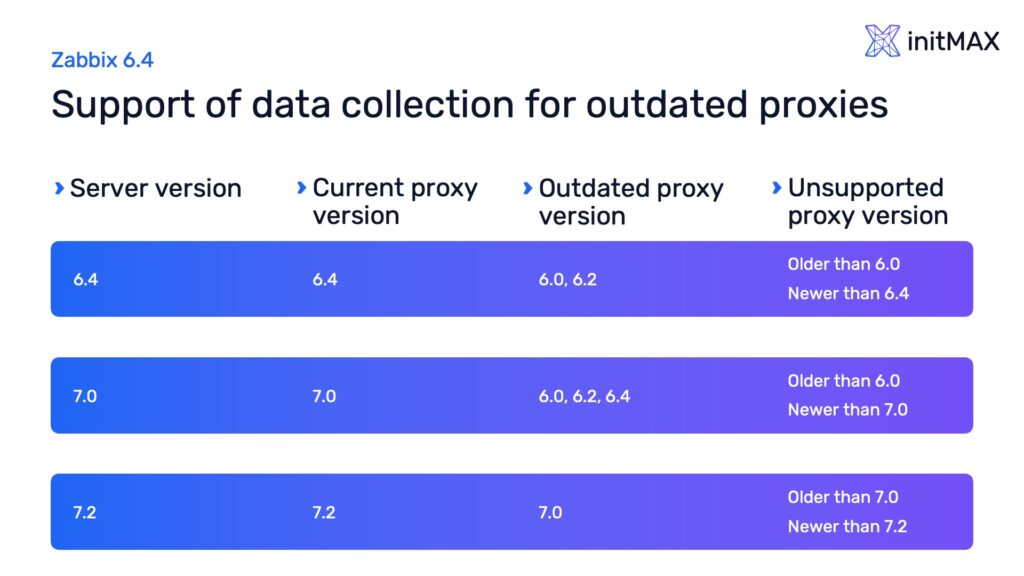
In a server-proxy setup, the upgrade process has become much more flexible. Zabbix server now officially supports data collection, remote command execution, and immediate item value checks through older proxies that are no more than one LTS release behind the Zabbix server.
Improved context menus
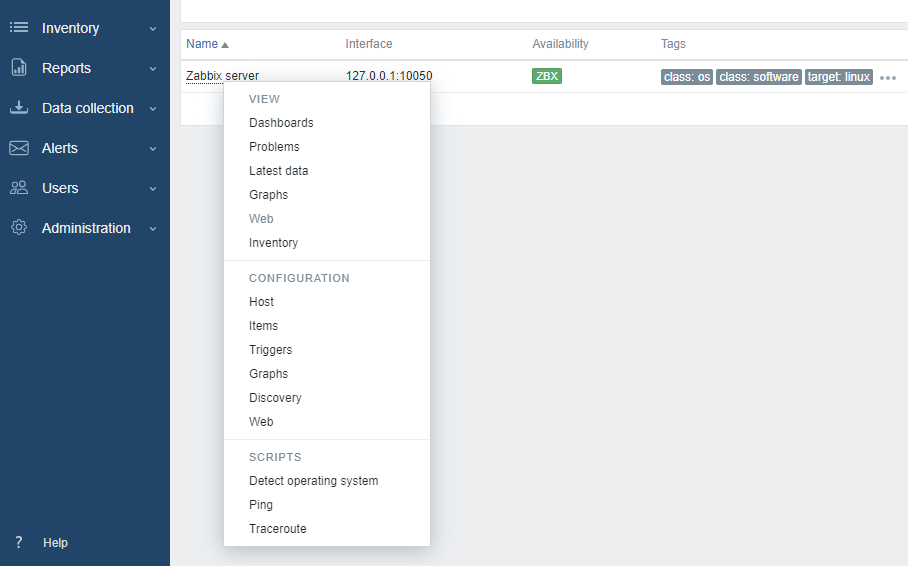
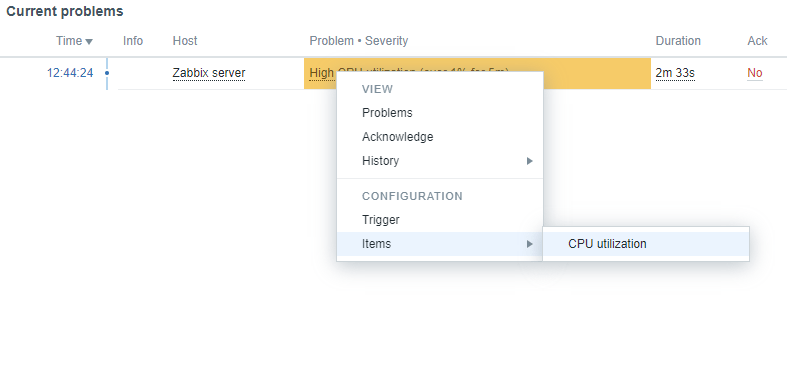
The context menus for items, hosts and events have been greatly improved.
The host context menu now offers options to switch to a list of items, triggers, discovery rules or web scenarios.
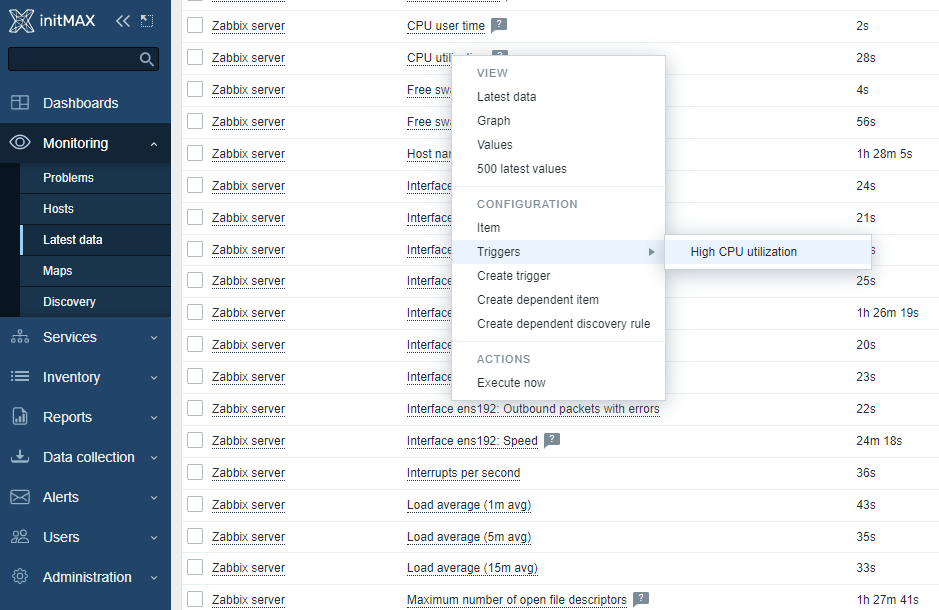
In the context menu for Item, you can now:
- view and click-through to triggers linked to the item
- create a trigger, dependent item or discovery rule linked to the selected item
- click-through to the Latest data of the selected item
And finally, the event context menu now offers the option to:
- confirm or update the problem
- view all items used by the problem trigger and go to the configuration of any of them
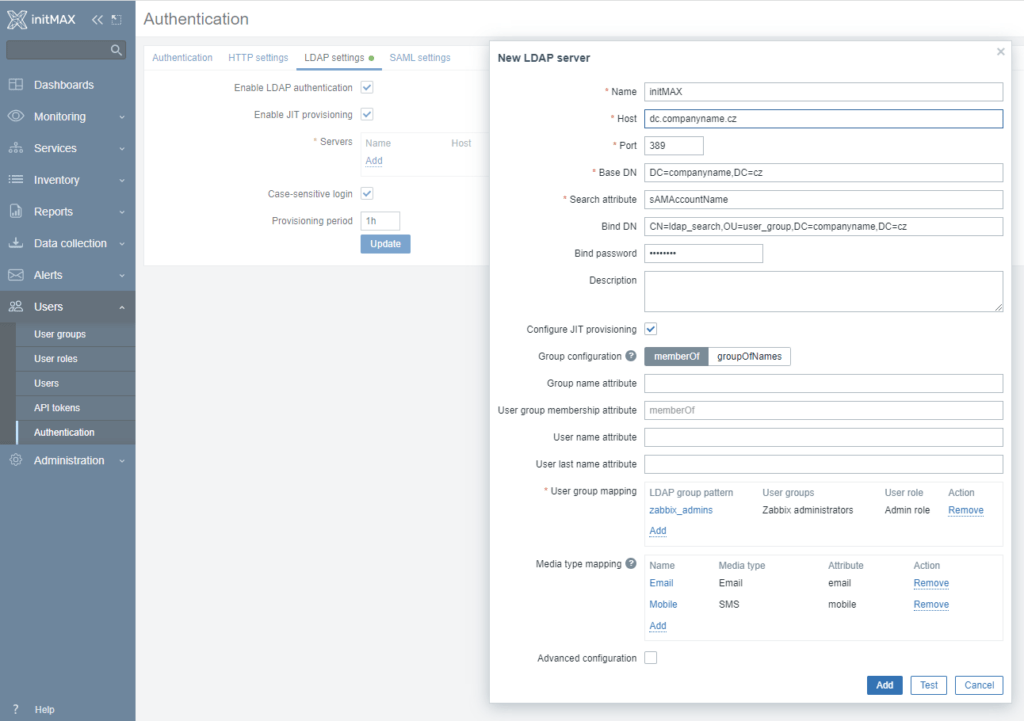
Automated account creation from LDAP and SAML
The ability to automatically create users has been a long-awaited and desired feature. Since Zabbix 6.4, it is now possible to manage users and their permissions, including mapping to groups, via AD, LDAP or SAML.
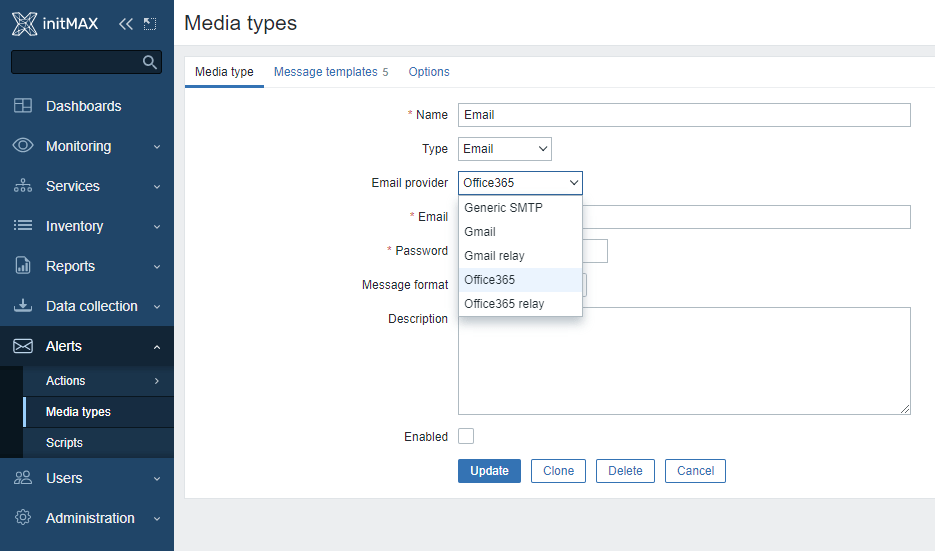
Easier media type configuration for Gmail and Office365
Gmail or Office365 users can now benefit from easier media type configuration. The new Email provider field in the mail media type configuration allows you to select pre-configured options for Gmail and Office 365 (in addition to the “Generic SMTP” option which works the same as before).
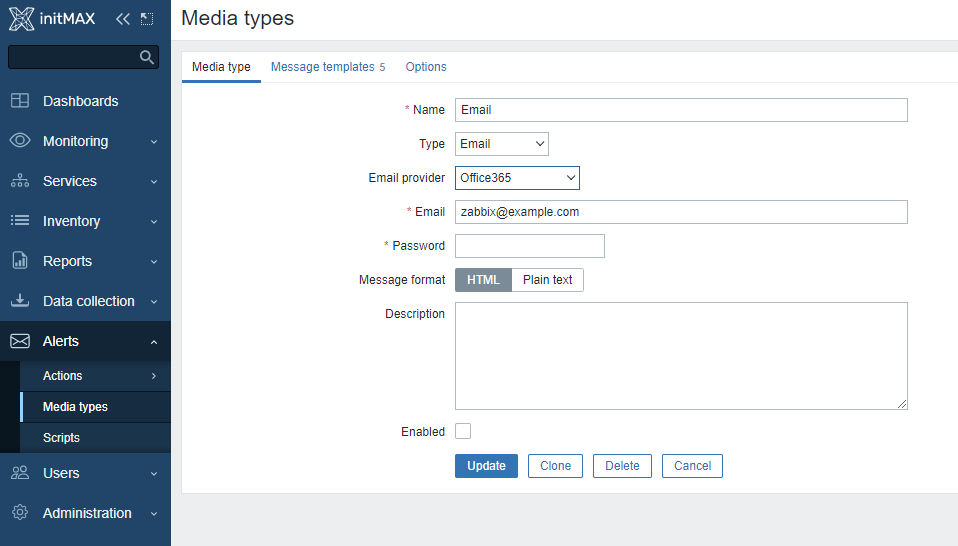
If you select O365 or Gmail, only an e-mail address and password are now required. Zabbix will automatically fill in all required settings for these media types with the current/recommended values, i.e. SMTP server, SMTP server port, SMTP password and connection security.
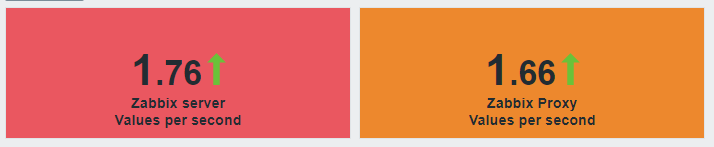
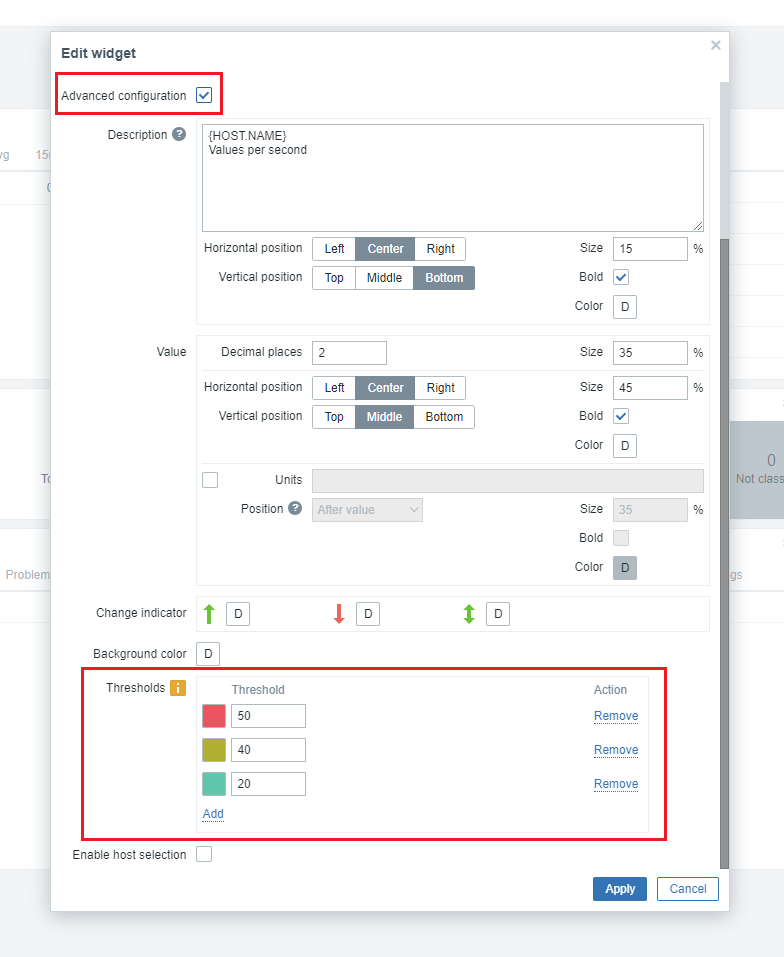
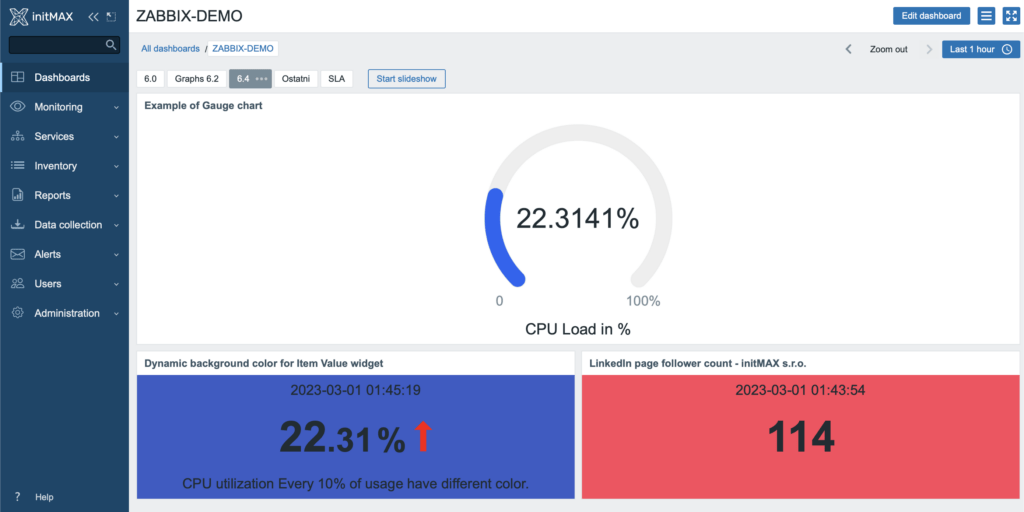
Dynamic background colour for Item Value widget
The Item Value widget now allows you to configure a dynamic background colour based on set thresholds and the last received value.
Mandatory old password entry when changing password
When changing password, you will now be required to enter the original password.
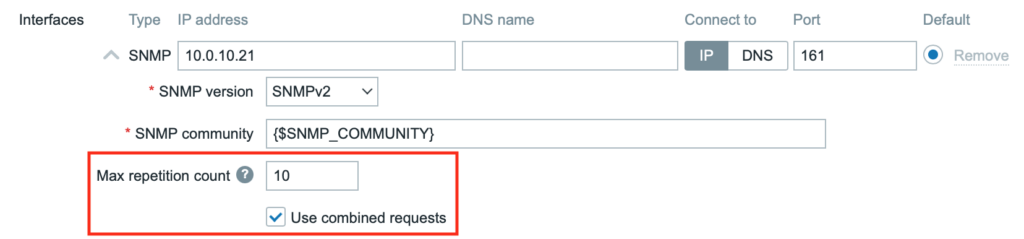
SNMP optimization
The part of the SNMP using BULK request has been redesigned. Now Zabbix accesses multiple metrics in the same way as a standard bulk request. This change solves, for example, problems when using proxy and SNMP Discovery, when Zabbix was not able to report all data or when Zabbix displayed the message: “SNMP error: noCreation (That table does not support row creation or that object can not ever be created)”.
New snmp.walk item
Since Zabbix 6.4, there has been a new snmp.walk[] item which returns a multi-line list of values.
For example, snmp.walk[1.3.6.1.2.1.2.2.1.2,1.3.6.1.2.1.2.2.1.3] will return:
.1.3.6.1.2.1.2.2.1.2.1 = STRING: "lo"
.1.3.6.1.2.1.2.2.1.2.2 = STRING: "ens33"
.1.3.6.1.2.1.2.2.1.2.3 = STRING: "ens37"
.1.3.6.1.2.1.2.2.1.3.1 = INTEGER: 24
.1.3.6.1.2.1.2.2.1.3.2 = INTEGER: 6
.1.3.6.1.2.1.2.2.1.3.3 = INTEGER: 6
New preprocessing options
In connection with the changes in SNMP, two new, very useful preprocessing options have been added:
- SNMP walk value – Selects a value by the specified OID/MIB name and applies the selected formatting to it.
- SNMP walk to JSON – Converts SNMP to JSON format.
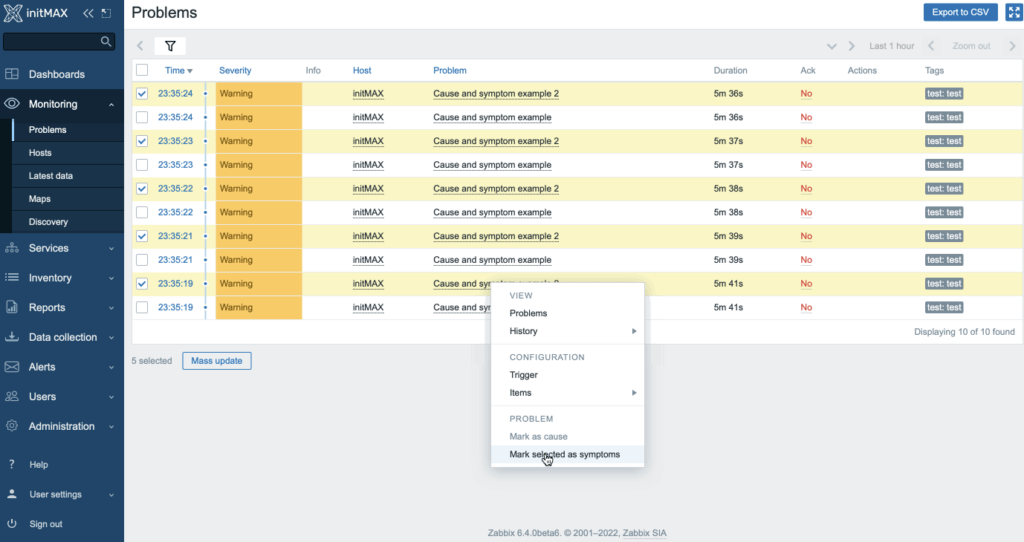
Cause and symptoms of problems
Zabbix 6.4 also adds the ability to mark generated events as secondary symptoms of a larger problem. For example, when a network switch fails, the switch itself can be identified as the root issue, while everything dependent on it is treated as a symptom rather than the main problem. Simply select the affected issues and click the event you want to mark as the primary one.
Ack has been renamed to “update”
The “Ack” link in the issue list has been renamed to “Update”, so that the name of the link better reflects all of the recently available options for issue updating.

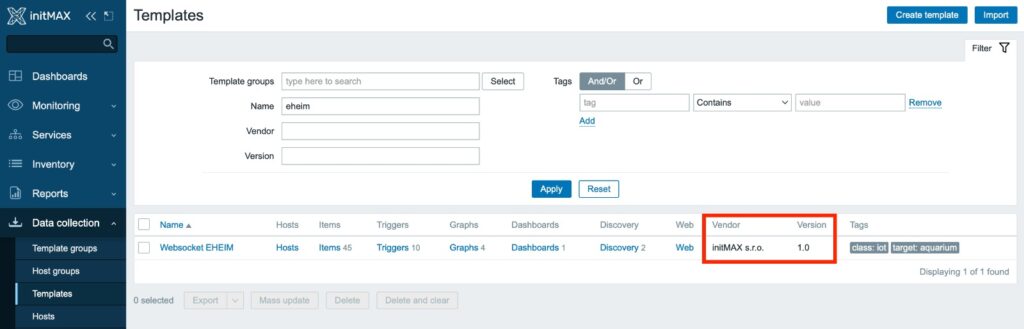
Template versioning
Templates now display their version and creator. This is the next step to versioning templates directly in Zabbix. For now, it is only about visualization and not versioning itself, but we already have an idea of how to use this functionality for the Zabbix module with a connection to git.
Metrics and Events streaming now supports external systems via HTTP
It will now be possible to forward metrics to other systems in real time. In particular, collected metrics and generated events can now be sent. There’s now a possibility to filter with tags as well as the option to log in to the target using either combination of a username and password or a certificate. You can also choose the number of parallel connections and the option to send messages in batches or one by one. The HTTP request is made using the POST method.
Example of the HTTP request:
POST / HTTP/1.1
Host: log-management.initmax.cz
Accept: */*
Accept-Encoding: deflate, gzip, br
Content-Type: application/x-ndjson
Content-Length: 4869{"host":{"host":"demo.initmax.cz","name":"demo.initmax.cz"},"groups":["Zabbix","Connector","DEMO"],"item_tags":[{"tag":"Target","value":"OpenSearch"},{"tag":"Target","value":"WAZUH"}],"itemid":147414,"name":"Demo item value, % free","clock":1675972194,"ns":97908485,"value":99.745535424749832,"type":0}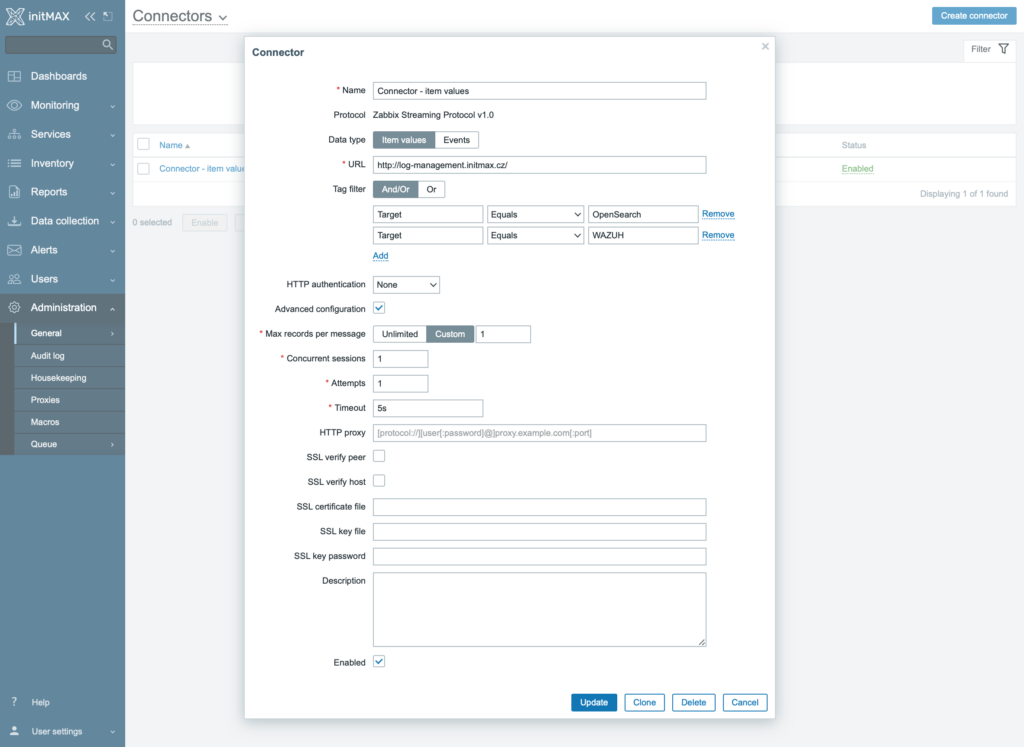
Configuration import
A new “Import all” option has been added to the template and host configuration form. When it is checked, all importable items are selected automatically.
To see the list of options in the import rules, the “Advanced options” checkbox must now be selected.
Another change is that the option to “Remove Missing” is now checked by default.
New widget framework and documentation for developers
The Zabbix documentation now includes a section explaining how to use the new widget framework, together with a working example based on the new gauge widget.
You can see the widget in our Zabbix demo environment.
You can explore the Zabbix demo here: https://www.initmax.com/zabbix/
Framework documentation is available here: https://www.zabbix.com/documentation/devel/en/devel
New templates
- AWS RDS instance by HTTP
- AWS S3 bucket by HTTP
- Azure by HTTP
- OPNsense by SNMP
- Cisco Meraki dashboard by HTTP
- Veeam Backup and Replication by HTTP
- Veeam Backup Enterprise Manager by HTTP
Zabbix download and other useful links
- Download Zabbix 6.4: https://www.zabbix.com/download
- Full documentation for the new version: https://www.zabbix.com/documentation/6.4/en/manual/introduction/whatsnew640
As official partners and big fans of the Zabbix platform, we can provide you with the highest level of service in all areas of Zabbix monitoring. If you are interested in a live demonstration of Zabbix installations at our customers, we will be happy to show you Zabbix in practice.

Give us a Like, share us, or follow us 😍
So you don’t miss anything: